
Table of Contents
Understanding Classroom Network Setup Demands
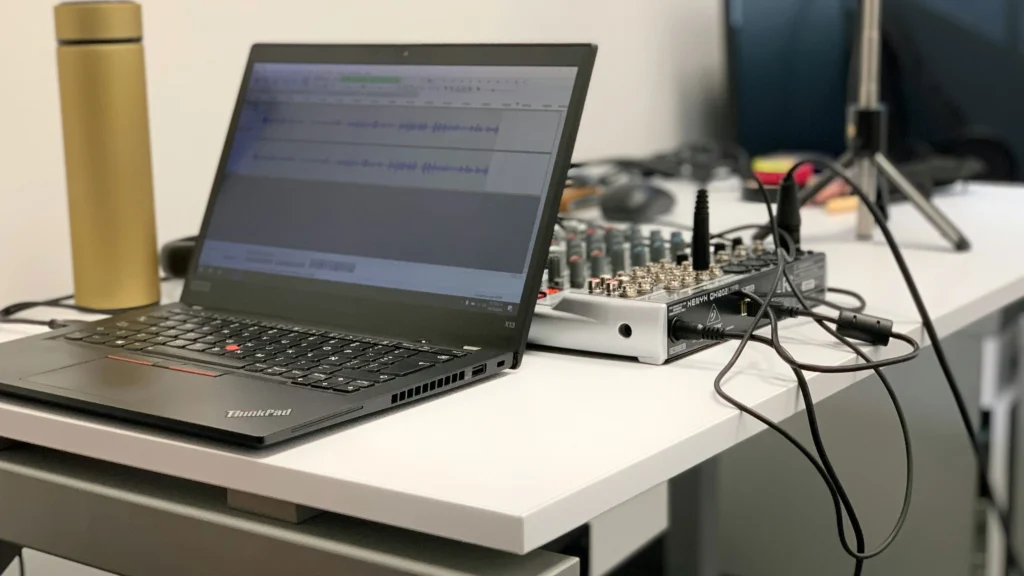
A stable classroom network setup forms the backbone of any modern smart classroom. Interactive displays, digital podiums, lecture capture systems, and student devices rely on reliable connectivity. Without it, lesson delivery can falter, AV systems may appear faulty, and hybrid learning experiences degrade.
Bandwidth Requirements
Each classroom device consumes network bandwidth differently. Interactive displays streaming HD content, cameras capturing lectures, and student laptops accessing cloud platforms can quickly saturate the network. Hybrid learning amplifies these demands, requiring smooth upstream video streams.
Planning involves calculating both average and peak bandwidth per device, with at least 20–30% additional headroom for spikes. Underestimating needs leads to latency, choppy video, and user frustration.
Wired vs Wireless Considerations
WiFi offers convenience for mobile devices, but latency-sensitive hardware such as interactive displays, podiums, and lecture capture cameras should rely on wired connections. A combined approach—wired backbone for AV hardware and high-quality access points for student devices—ensures reliability without compromising flexibility.
Redundancy and Future-Proofing
Classroom network setup should anticipate future upgrades. Switches with redundancy, additional PoE ports, and modular cabling paths reduce risk. Proper documentation of cabling and port assignments also simplifies maintenance and troubleshooting.
Classroom Network Setup Architecture Essentials

VLANs and Network Segmentation
VLANs separate AV, hybrid learning, and student traffic, ensuring that critical video or audio streams receive priority. This segmentation also simplifies troubleshooting by isolating network issues to specific traffic types.
Implementing Quality of Service (QoS) further prioritizes interactive display streams and live lectures over non-critical web traffic, maintaining lesson fluidity during peak classroom activity.
Switch Selection and Deployment
High-quality switches are essential. Key considerations include:
- Gigabit support for high-speed throughput
- PoE for microphones, cameras, and displays
- Layer 2 switches for small classrooms, Layer 3 for larger lecture halls
- Redundancy features to prevent single points of failure
Correct switch selection ensures AV and hybrid learning devices operate smoothly under load.
Cabling Standards
Structured cabling directly affects performance. CAT6 or CAT6A cables minimize interference, while properly labeled ports simplify maintenance. Switches should be placed to reduce cable runs and ensure that wired devices remain stable, even during classroom reconfigurations.
Common Classroom Network Setup Deployment Mistakes
Even well-intentioned deployments can lead to network instability if foundational principles are overlooked. Many schools make errors that compromise AV performance, hybrid learning, and teacher satisfaction.
Overreliance on Wireless for Critical Devices
A frequent mistake is connecting interactive displays, digital podiums, and lecture capture cameras solely via WiFi. Wireless networks are susceptible to interference, signal dropouts, and latency. Wired connections should be prioritized for these devices, while WiFi can serve mobile student laptops and tablets.
Ignoring Bandwidth and Peak Load Scenarios
Some network designs only account for average bandwidth, neglecting peak usage during full-class activities or simultaneous streaming. The result is choppy video, delayed audio, and failed connections during critical lessons. Proper load testing, simulations, and conservative headroom planning prevent these issues.
Improper VLAN or QoS Configuration
Without VLAN segmentation and QoS prioritization, AV traffic competes with general internet usage. Video and audio packets can drop or delay, degrading hybrid learning sessions. Implementing VLANs with clear traffic separation and QoS rules ensures that interactive displays, cameras, and microphones maintain priority.
Inadequate Redundancy and Documentation
Single points of failure, undocumented cabling, or unmarked switches are recurring problems. A simple network issue can disrupt an entire class if the IT team cannot quickly identify the source. Proper labeling, schematic diagrams, and backup paths are essential for operational continuity.
Strategies for Stable Classroom Network Setup
Designing for Small vs Large Classrooms
Smaller classrooms can operate effectively with a single Layer 2 switch and minimal PoE devices. Larger lecture halls or multi-room smart campuses require Layer 3 switches, higher port density, and potentially redundant uplinks. The scale of the classroom dictates both the hardware selection and cabling architecture.
Prioritizing Critical Devices
Classroom network setup should recognize devices that directly impact teaching quality. Interactive displays, podiums, and hybrid cameras should always receive the highest priority via VLANs and QoS. Auxiliary devices such as student laptops and IoT devices may be assigned lower priority to ensure lesson continuity.
Monitoring and Remote Management
Active monitoring tools allow IT teams to track device connectivity, bandwidth usage, and potential failures in real time. Alerts for switch overload, cable issues, or classroom network setup congestion prevent downtime before classes are affected. Integrating this monitoring with the school’s AV control systems enhances overall system reliability.
Future-Proofing and Scalability
Classroom network setup should be designed to accommodate upgrades. Structured cabling with spare runs, modular switches, and flexible PoE configurations make it easier to add new interactive displays, podiums, or cameras. This forward-looking design prevents costly reinstallation and downtime as technology evolves.
Step-by-Step Network Implementation
A stable classroom network setup begins with careful planning and phased execution. Deployments that skip structured steps often face intermittent failures and frustrated teachers.
Pre-Deployment Planning and Site Survey
Before installing switches or running cables, IT teams should conduct a comprehensive site survey. Measure room dimensions, identify potential sources of interference, and map out device locations. This survey informs cable runs, access point placement, and PoE requirements. Aligning this with classroom AV needs—such as interactive displays or podiums—ensures the classroom network setup supports all devices seamlessly.
Smart Classroom Components: Complete Guide to AV, Control & Infrastructure Systems
Cabling and Physical Infrastructure
Structured cabling is the backbone of a reliable classroom network. Use Cat6a or higher for future-proofing and avoid daisy-chaining switches. Clearly label all runs and maintain documentation for each port. Redundant cabling, when feasible, provides failover paths that prevent class interruptions during hardware issues.
Switch and PoE Configuration
Switches should be segmented logically, often via VLANs, separating AV devices from student WiFi or administrative traffic. PoE-enabled switches simplify deployment of cameras, microphones, and podiums, reducing the need for separate power outlets while maintaining clean cable management.
Maintenance and Long-Term Optimization
Even well-installed networks require proactive maintenance to maintain classroom stability.
Regular Monitoring and Diagnostics
Use network management software to monitor bandwidth usage, device connectivity, and error logs. Alerts for port failures, high latency, or unusual traffic patterns allow the IT team to address problems before classes are affected. Monitoring also provides insights for future scaling as more devices are added.
Firmware and Security Updates
Switches, access points, and AV-integrated network devices should be updated regularly. Security patches prevent unauthorized access, while firmware updates enhance stability and compatibility with interactive displays, digital podiums, and lecture capture systems.
Teacher and Staff Training
Network stability is only meaningful if teachers know how to operate devices within the network. Provide quick-reference guides and hands-on training that cover basic troubleshooting, such as reconnecting a display or identifying a connectivity issue with a podium.
Performance Reviews and Future Planning
Conduct periodic reviews to assess network performance under peak classroom loads. Gather feedback from teachers regarding latency, dropouts, or device performance. These reviews inform decisions on additional access points, switch upgrades, or improved network architecture, ensuring classrooms remain future-ready.