Table of Contents
Introduction: From Concept to System Architecture
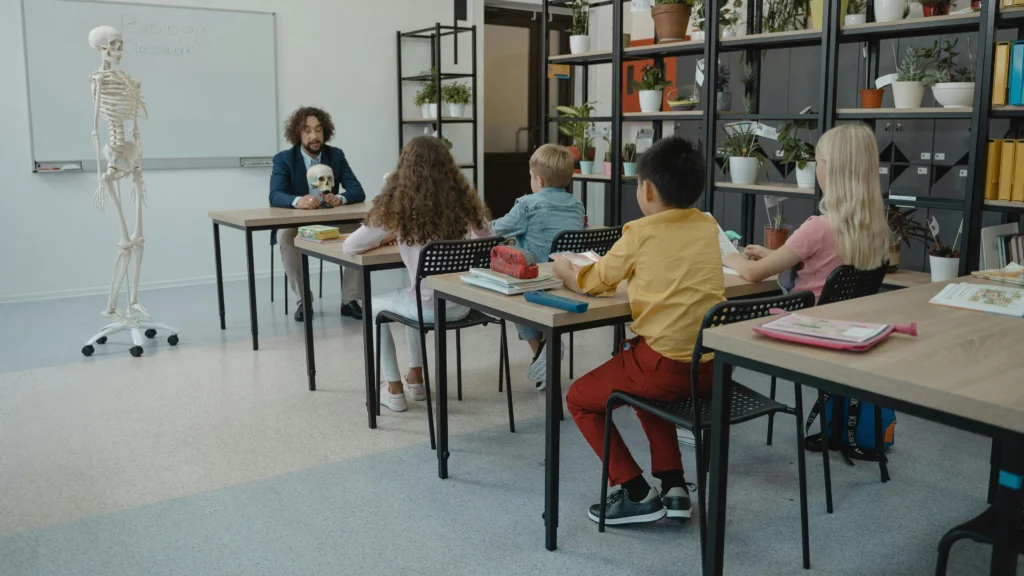
A smart classroom is more than just a room full of devices. It is an ecosystem of smart classroom components, integrating hardware, software, and infrastructure. Together, these elements support teaching, learning, and hybrid communication seamlessly. If you haven’t already, you may want to read our first article, “What Is a Smart Classroom? A Practical Explanation”, which introduces the concept and overall benefits of smart classrooms. This article, however, focuses specifically on the hardware system architecture and how different smart classroom components work together to make a classroom truly “smart.”
One common mistake in classroom technology deployment is focusing too much on specific products—buying the latest interactive display, projector, or microphone—without understanding how each device fits into the functional layers of a classroom. Without this perspective, schools often experience underutilized equipment, inconsistent audio-video quality, or frustrated teachers struggling to operate multiple devices.
To address this, we analyze the classroom by functional purpose rather than by brand or product name. A smart classroom can be conceptually divided into two major pillars:
- Audio-Visual Systems (AV Layer) – Devices and systems responsible for delivering content visually and audibly.
- Control & Intelligence Systems (Control Layer) – Tools that allow teachers and administrators to operate, automate, and manage the classroom efficiently.
By understanding these pillars and their interconnections, you can make informed decisions about equipment procurement, deployment, and future scalability.
1. The Functional Architecture of a Smart Classroom

To visualize a smart classroom, it helps to break it down into three interrelated layers:
Smart Classroom System =
AV Layer (See + Hear + Capture)
Control Layer (Operate + Automate + Manage)
Infrastructure Backbone (Network + Power + Cabling)
AV Layer: See + Hear + Capture
This layer includes all devices that deliver content to students and teachers:
- See: Interactive displays, projectors, LED walls
- Hear: Microphones, speakers, audio processing units
- Capture: Cameras and lecture capture systems for recording or hybrid teaching
The AV layer is critical because it ensures that information is transmitted clearly to everyone in the classroom, including remote participants in hybrid setups.
Control Layer: Operate + Automate + Manage
The control layer provides usability and operational efficiency:
- Centralized control panels or touch interfaces for managing displays, projectors, audio systems
- Scheduling and automation for hybrid sessions, lighting, and equipment startup
- Remote monitoring and device health tracking
Without this layer, teachers are forced to juggle multiple devices manually, which can reduce engagement and lesson quality.
Infrastructure Backbone: Network + Power + Cabling
The backbone ensures stability and scalability:
- Structured cabling, power distribution, and surge protection
- Robust network design with VLAN segmentation, QoS prioritization, and Wi-Fi coverage
- Planning for future expansion or technology upgrades
When designing smart classroom components, it’s important to consider both AV systems and control layers. And a well-implemented backbone prevents common problems such as dropped video calls, feedback in audio systems, or downtime caused by power issues.
Why Layered Design Matters
Many procurement failures occur because schools treat smart classroom technology as individual products rather than as an integrated system. For example:
- Purchasing high-end projectors but ignoring room acoustics or microphone placement
- Installing interactive displays without considering network connectivity or control integration
- Selecting devices that are not scalable for hybrid learning
By approaching the classroom with a layered functional architecture, you ensure:
- Each component serves a clear purpose
- Devices complement each other instead of conflicting
- Teachers and students experience a seamless, efficient learning environment
This framework sets the stage for exploring the core hardware systems—visual, audio, and hybrid learning devices—in the next section.
Part I — AUDIO-VISUAL SYSTEMS
(The Information Delivery Layer)
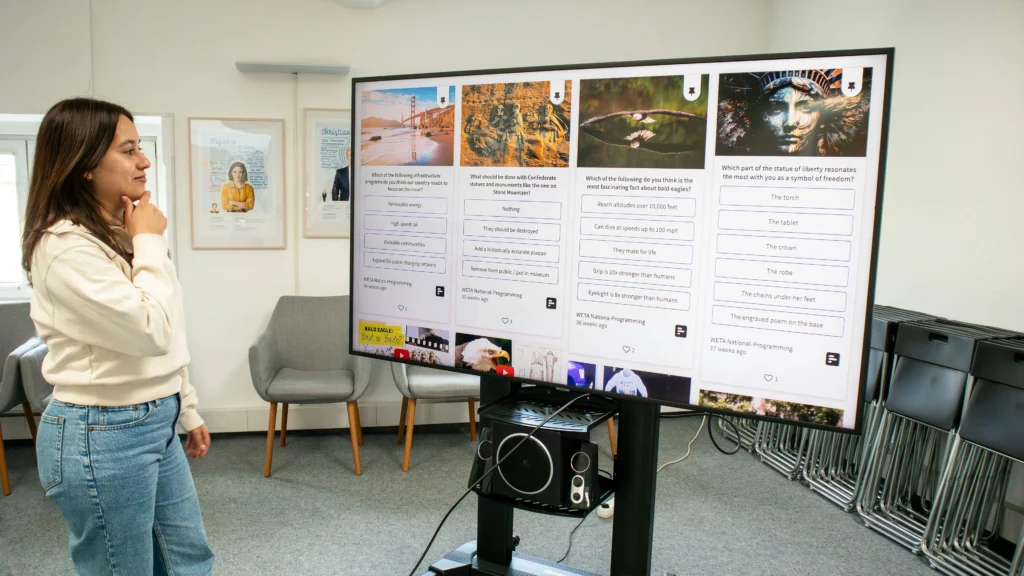
This section explores all smart classroom components that are responsible for delivering content, both visually and audibly. We cover the technology behind each device, its role in supporting instruction, and practical considerations for deployment.
Visual Systems (Video & Display Category)
The visual systems in a smart classroom form the core of content delivery. These include interactive displays, projectors, and LED walls. They allow students to see information clearly and engage with lessons interactively.
Interactive Displays (Smart Boards / IFP)
Interactive displays, also known as interactive flat panels (IFPs) or smart boards, are the cornerstone of modern smart classrooms. They function as the primary visual interface between teachers and students, enabling dynamic content delivery and interactive learning.
Key Features:
- Multi-Touch Interaction: Most interactive displays support multi-touch gestures, allowing teachers and students to write, annotate, and manipulate digital content directly on the screen.
- Integrated Computing: Many panels come with built-in computing (OPS module or Android system), enabling standalone operation without external PCs.
- Collaboration Tools: Supports split-screen for simultaneous multi-user input, digital whiteboarding, and cloud-based collaboration.
- Lesson Saving & Exporting: Teachers can save annotated lessons and share them with students for later review.
Teaching Benefits:
- Facilitates visual learning and increases engagement.
- Reduces reliance on static slides and printed handouts.
- Supports hybrid teaching when paired with lecture capture systems.
Technical Considerations:
- Screen size should match classroom dimensions for optimal visibility.
- IR vs capacitive touch technology affects accuracy and maintenance.
- Mounting height impacts accessibility for students and teachers.
Projector Systems
While interactive displays dominate small-to-medium classrooms, projectors remain relevant, especially in larger spaces or where budgets are limited.
Types:
- Standard Throw: Suitable for small rooms with low ambient light.
- Short Throw / Ultra Short Throw: Ideal for small classrooms to avoid shadows and glare.
- Laser vs Lamp: Laser projectors offer longer lifespan and consistent brightness; lamp-based projectors are cheaper but require regular maintenance.
Teaching Benefits:
- Large-format display for lectures and demonstrations.
- Allows projection of multimedia content, simulations, and student work.
- Easily integrates with hybrid learning via document cameras and cameras.
Technical Notes:
- Brightness (lumens) must match ambient lighting.
- Screen selection affects contrast and visibility.
- Throw distance and keystone correction are critical for image clarity.
LED Display Walls
LED walls are high-end solutions for auditoriums and large lecture halls.
Key Features:
- Ultra-high brightness, visible in any lighting condition.
- Modular construction allows custom sizes.
- Often paired with high-definition video sources and cameras.
Teaching Benefits:
- Large-format, immersive visual experience.
- Perfect for multi-camera hybrid classes, simultaneous content display.
Considerations:
- Cost is significantly higher than displays or projectors.
- Installation complexity requires professional planning.
Teaching Delivery Tools (Instructor-Centered Video Tools)
Digital Podium / Electronic Podium
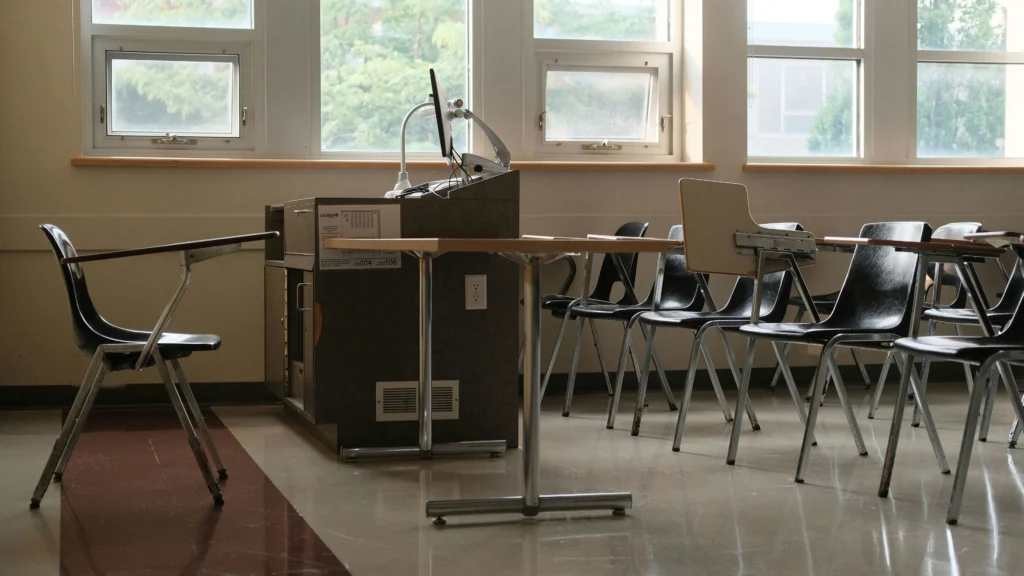
Digital podiums integrate control of multiple AV devices into a single interface. They are often equipped with:
- Built-in PCs or OPS modules
- Touchscreen control for displays, projectors, and lecture capture
- Cable management systems to hide wires
Teaching Benefits:
- Reduces the cognitive load for teachers by centralizing control.
- Supports multimedia lessons and hybrid teaching scenarios.
- Allows preloaded lesson plans, annotations, and quick switching between content sources.
Document Cameras
Document cameras, or visualizers, are indispensable for subjects that involve physical documents, books, or lab samples.
Features:
- High-definition capture with optical zoom
- Integration with interactive displays and recording systems
- Real-time streaming to hybrid participants
Teaching Benefits:
- Enhances STEM and arts instruction.
- Facilitates step-by-step demonstration of experiments or solutions.
- Supports hybrid teaching with live streaming.
Multi-Camera Systems
In specialized classrooms such as science labs or art studios, multi-camera setups allow multiple angles of demonstration:
- Teacher-facing camera
- Overhead view for experiments or workstations
- Close-up camera for detail capture
Teaching Benefits:
- Students can see all critical steps clearly.
- Perfect for lecture capture and hybrid instruction.
Part III — Control & Intelligence Systems
(Control Layer: Operate + Automate + Manage)
While the Audio-Visual layer delivers content to students, the Control & Intelligence layer ensures that teachers, administrators, and support staff can operate, automate, and manage the classroom efficiently. Without this layer, even the most advanced hardware can be frustrating to use and underutilized.
Centralized Control Panels
Touch Interfaces and Control Consoles
Centralized control panels allow teachers to manage all devices from a single interface.
Features:
- Touchscreen or tablet-based control
- Single-click access to displays, projectors, audio, and lighting
- Preset modes for different class types (lecture, lab, hybrid)
Teaching Benefits:
- Reduces time spent switching between devices
- Minimizes errors and technical distractions
- Enables teachers to focus on pedagogy rather than equipment
Technical Notes:
- Panels can integrate with AV equipment from multiple vendors
- Must support firmware updates and remote diagnostics
- Placement should be accessible but unobtrusive
Mobile & Remote Control
Many modern classrooms allow mobile devices to control AV equipment:
- Tablet or smartphone apps
- Web-based dashboards for IT staff
- Integration with room scheduling systems
Benefits:
- Teachers can move freely while managing content
- IT staff can monitor multiple classrooms remotely
- Reduces response time for technical issues
Automation & Scheduling
Predefined Lesson Modes
Smart classrooms often support automated lesson configurations:
- Lighting, shades, and projector settings
- Audio presets for different room sizes or activities
- Switching between hybrid and in-person teaching modes
Benefits:
- Streamlines transitions between classes
- Ensures consistent experience for students
- Reduces cognitive load on teachers
Device Scheduling & Energy Management
- Turn devices on/off at scheduled times
- Energy-saving modes for displays, projectors, and HVAC integration
- Prevents wear-and-tear and reduces operational costs
Teaching & Operational Benefits:
- Ensures classrooms are ready for each session
- Reduces operational errors and energy waste
- Supports sustainability initiatives in schools
Monitoring & Maintenance Tools
Device Health Tracking
The effectiveness of your smart classroom components depends on proper infrastructure and maintenance. Control systems provide real-time monitoring of classroom hardware:
- AV equipment status (projector lamp life, microphone battery)
- Network performance and connectivity
- Temperature and environmental monitoring for sensitive devices
Benefits:
- Predicts failures before they disrupt lessons
- Provides IT teams with actionable alerts
- Helps schools plan maintenance cycles efficiently
Remote Support & Troubleshooting
- IT staff can remotely diagnose and resolve issues
- Teachers can request support via dashboard
- Reduces downtime and ensures smooth hybrid sessions
Intelligent Integration & AI Trends
Unified Classroom Management Systems
Future-ready classrooms integrate AI and automation to:
- Adjust lighting, screen brightness, and audio automatically
- Provide analytics on engagement and participation
- Offer voice control for hands-free operation
Benefits:
- Simplifies complex classroom setups
- Enhances teaching effectiveness and engagement
- Supports predictive maintenance and resource allocation
AI-Enhanced Learning Environments
- AI-driven analytics suggest teaching improvements
- Automatic lecture transcription and indexing
- Personalized learning support for students based on recorded sessions
Considerations:
- Privacy and data protection must be addressed
- Integration with LMS and school IT policies is essential
- Initial costs can be high but improve efficiency and engagement long-term
Summary of Control Layer
The Control & Intelligence layer ensures that all hardware and AV devices work in harmony. Its purpose is not just convenience but operational effectiveness, reliability, and future-proofing:
- Operate: Centralized control for teachers
- Automate: Predefined modes, energy-saving, scheduling
- Manage: Monitoring, maintenance, AI-driven insights
When paired with a robust AV layer and solid infrastructure backbone, the control layer transforms classroom technology from a set of disparate devices into a cohesive, smart learning ecosystem.
Part IV — Infrastructure Backbone
(Network + Power + Cabling)
The smart classroom components should be as reliable as its underlying infrastructure. Even the most advanced AV and control systems will fail if power, network, and cabling are poorly designed. The infrastructure backbone ensures that every device functions stably, efficiently, and securely.
Network Architecture
Wired and Wireless Connectivity
- Wired (Ethernet): Provides stable, low-latency connections for AV devices, lecture capture systems, and control panels.
- Wireless (Wi-Fi): Supports mobile devices, tablets, laptops, and hybrid student access.
- Segmentation: VLANs (virtual local area networks) can separate AV traffic from general student devices. This ensures smooth video and audio streaming without interruptions.
Benefits:
- Prevents dropped connections during hybrid sessions
- Supports real-time streaming and interactive collaboration
- Simplifies troubleshooting for IT staff
Bandwidth and QoS (Quality of Service)
- Prioritize AV streams over general network traffic
- Ensure sufficient bandwidth for high-definition video capture and live streaming
- Reduce lag, video stuttering, and audio delays
Power Distribution & Management
Centralized Power Planning
- Surge protection for sensitive devices (displays, projectors, servers)
- Redundant power sources to avoid classroom downtime
- Integration with energy-saving schedules
Benefits:
- Protects investment in high-value AV equipment
- Maintains consistent classroom operations
- Reduces unexpected maintenance costs
Cabling & Physical Infrastructure
- Structured Cabling: Organized pathways for data, audio, and video lines
- Labeling and Color-Coding: Simplifies maintenance and future upgrades
- Cable Management Systems: Avoids clutter and prevents accidental disconnections
Benefits:
- Reduces setup time for new devices
- Ensures safety and reliability
- Provides scalability for future technology upgrades
Security and Future-Proofing
- Network segmentation, firewalls, and access controls
- Planning for new AV standards and hybrid learning trends
- Space and load planning for future AI-driven or IoT-enabled classroom devices
Conclusion of Complete Guide for Smart Classroom Components

The well-designed smart classroom components requires three integrated layers:
- Audio-Visual Systems – Deliver clear, engaging content
- Control & Intelligence Systems – Simplify operation, automate processes, and provide actionable insights
- Infrastructure Backbone – Ensure stability, reliability, and scalability
By designing classrooms with reasonable mix of smart classroom components from a functional perspective rather than focusing on individual products, schools and institutions can avoid common pitfalls and fully leverage technology for better teaching outcomes.
Key Takeaways:
- Focus on functional layers, not just individual devices of smart classroom components
- Ensure control and automation reduce operational complexity
- Build a reliable infrastructure to support current and future needs
- Incorporate audio, video, and hybrid learning devices comprehensively
Future Trends in Smart Classrooms
- AI Integration: Smart classroom components will include more automated adjustments for lighting, audio, and display based on occupancy and activity
- IoT Connectivity: Smart devices communicating seamlessly for predictive maintenance and analytics
- Enhanced Hybrid Learning: Advanced lecture capture and multi-camera systems to create immersive experiences
- Personalized Learning Analytics: AI-powered insights to adapt content and teaching strategies to student performance to increase the intellengence of smart classroom components
Smart classrooms are evolving from technology-equipped rooms into intelligent learning ecosystems that enhance engagement, efficiency, and long-term educational outcomes. To learn more about designing effective smart classrooms and the full range of smart classroom components, visit our homepage for detailed guides and insights.