Table of Contents
Introduction: Why “Smart Classroom” Is Often Misunderstood
The term smart classroom appears everywhere in education marketing materials, procurement documents, and EdTech discussions. Yet when different stakeholders use it, they often mean completely different things.
To an IT administrator, a smart classroom might mean centralized device control and network integration.
To a school principal, it may represent modernization and institutional branding.
To a teacher, it might simply mean a large touchscreen replacing a whiteboard.
To a vendor, it may be a bundled hardware package.
This fragmentation creates confusion. Institutions invest heavily in “smart upgrades,” yet many fail to achieve measurable improvements in teaching quality or student engagement.
To understand what a smart classroom truly is, we must move beyond product categories and examine the underlying purpose of classroom technology.
At its core, a classroom exists to:
- Deliver information clearly
- Facilitate interaction efficiently
- Capture and assess learning outcomes
Any system that meaningfully improves these three functions — while remaining usable and sustainable — can be considered intelligent.
Therefore:
A smart classroom is not defined by how much technology it contains, but by how effectively its integrated systems enhance teaching delivery, interaction, and learning visibility.
The emphasis is on integration, not accumulation.
1. Defining a Smart Classroom from First Principles
Instead of starting with equipment lists, we start with constraints.
A traditional classroom faces structural limitations:
- Information flows primarily one way (teacher → students)
- Interaction is limited by time and physical space
- Learning evidence is often lost after the session ends
- Classroom performance data is rarely measurable
- Remote participation is difficult
A smart classroom attempts to reduce or eliminate these constraints through coordinated digital systems.
From a systems perspective, a smart classroom must satisfy five conditions:
1. Digital Content Capability
It must allow digital materials to be displayed, annotated, stored, and reused.
2. Real-Time Interaction
Students must be able to respond, collaborate, or participate beyond passive listening.
3. Audio-Visual Clarity
Every student — including remote participants — must clearly hear and see.
4. Network Integration
The classroom must connect to external platforms (LMS, cloud storage, conferencing systems).
5. Manageability
IT teams must be able to maintain, monitor, and scale the system.
If any of these dimensions are missing, the classroom may be digital — but not truly smart.
2. Core Components of a Smart Classroom

A smart classroom is a layered architecture. It is helpful to think of it in five layers:
- Visual Layer
- Audio Layer
- Control Layer
- Network Layer
- Data & Management Layer
Each layer serves a different functional purpose, and imbalance between layers is a common cause of failure.
2.1 The Visual Layer: Interactive Displays and Projection Systems
The visual system is the most visible element and often consumes the largest portion of the budget.
Typical options include:
- Interactive Flat Panels (IFP)
- Smart boards with short-throw projectors
- Ultra short-throw laser projectors
- Large LED walls (in lecture halls)
Why Visual Systems Matter
A classroom’s visual system determines:
- Readability
- Engagement
- Annotation flexibility
- Content switching speed
- Compatibility with devices
However, schools often evaluate displays using only resolution and size. This is insufficient.
Critical Technical Variables
- Brightness (Nits or Lumens)
Bright rooms require higher brightness. Underestimating this leads to washed-out content. - Touch Technology (IR vs Capacitive)
- IR is cost-effective and durable but less precise.
- Capacitive offers higher accuracy and smoother writing but costs more.
- Latency
Touch delay above 40ms becomes noticeable to teachers writing quickly. - Viewing Angle
Important in wide classrooms. - Mounting Height and Ergonomics
Improper installation can cause shoulder strain for teachers.
Common Mistake
Schools upgrade to large interactive panels but retain poor lighting control. As a result, glare reduces readability, negating the investment.
A visual upgrade must be evaluated within the physical environment.
2.2 The Audio Layer: The Most Underrated System
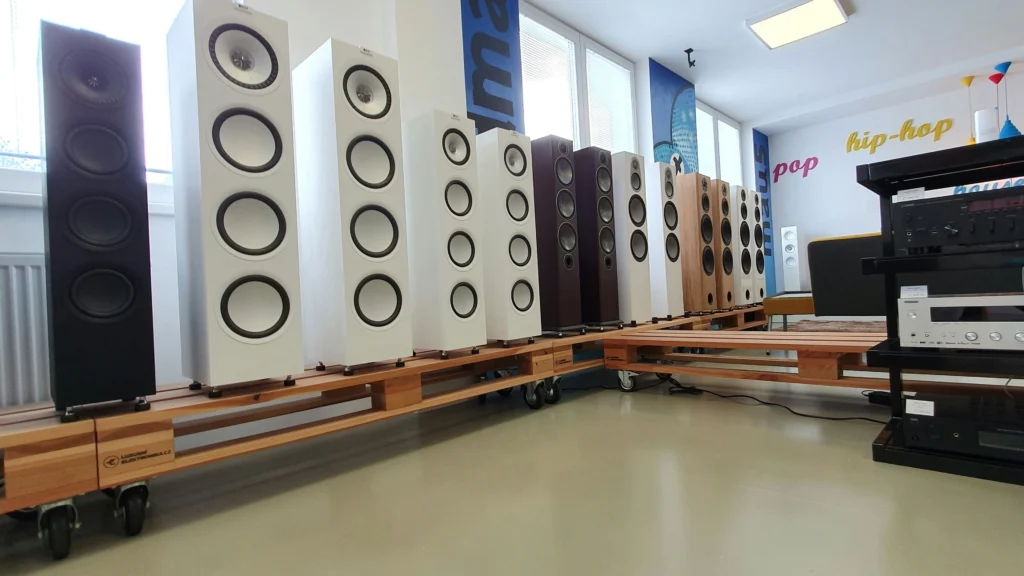
If students cannot hear clearly, no display resolution can compensate.
In many failed smart classroom projects, audio was either underfunded or poorly tuned.
Typical Audio Components
- Ceiling speakers
- Wall-mounted speakers
- Wireless lapel microphones
- Handheld microphones
- Ceiling microphone arrays (for hybrid learning)
- Digital signal processors (DSP)
Key Audio Principles
- Uniform Coverage
Sound pressure must be evenly distributed across seating areas. - Echo Control
In hybrid environments, echo cancellation is essential. - Feedback Prevention
Microphone placement relative to speakers is critical. - Voice Intelligibility (STI Rating)
Clarity matters more than volume.
Why Audio Often Fails
- Speakers placed for symmetry instead of acoustic logic
- Microphones too far from teacher
- No DSP tuning
- Hard reflective surfaces causing echo
In hybrid classrooms, improper audio configuration creates delays and overlapping speech, frustrating remote students.
Audio is invisible but foundational.
2.3 The Control Layer: Making Technology Usable
A technically advanced system that is difficult to operate will not be adopted.
Control systems generally fall into two categories:
Traditional AV Control Systems
- Dedicated touch panels
- Pre-programmed scene switching
- Automated power sequencing
Advantages:
- Stable
- Structured
Disadvantages:
- Expensive
- Requires programming
- Hard to modify later
BYOM (Bring Your Own Meeting)
Teachers connect personal devices via:
- USB-C
- HDMI
- Wireless casting
Advantages:
- Flexible
- Lower infrastructure cost
Disadvantages:
- Depends on teacher competence
- Inconsistent experience
Why Control Design Matters
If powering on the system requires five steps, teachers will avoid using it.
Smart classrooms must reduce operational friction.
Simplicity drives adoption.
2.4 The Network Layer: The Hidden Infrastructure
Modern smart classrooms rely heavily on stable network connectivity.
Use cases include:
- Cloud-based teaching materials
- LMS synchronization
- Remote conferencing
- Automatic updates
- Wireless casting
Network Requirements
- Sufficient bandwidth
- Low latency
- Proper VLAN segmentation
- Quality of Service (QoS) prioritization
- Strong WiFi coverage
What Happens When Network Planning Is Weak
- Screen casting lag
- Audio-video desynchronization
- Cloud content loading delays
- Disrupted remote sessions
Network instability often leads teachers to revert to offline teaching methods.
Without a strong network backbone, a smart classroom becomes unreliable.
2.5 The Data & Management Layer
This is where the “smart” aspect becomes measurable.
A well-designed system can provide:
- Usage statistics
- Remote device monitoring
- Firmware update management
- Energy consumption tracking
- Classroom utilization data
For administrators, this data supports:
- Budget justification
- Performance measurement
- Predictive maintenance
- Resource allocation decisions
Without centralized management, scaling becomes difficult.
3. Smart Classroom vs. Traditional Classroom: A Structural Comparison
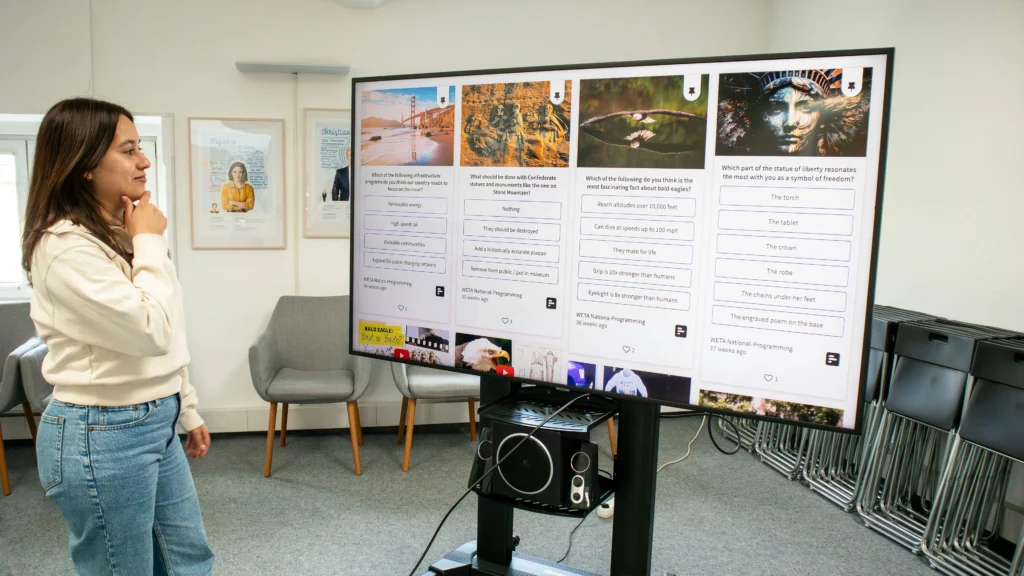
Superficially, the difference between a traditional classroom and a smart classroom appears technological. In reality, the deeper difference lies in information flow, interaction structure, and data retention.
Let us analyze across five structural dimensions.
3.1 Information Flow
Traditional Model:
Information flows primarily in one direction — from teacher to students. The blackboard is a temporary surface. Notes disappear after class. Content distribution depends on physical presence.
Smart Model:
Information becomes:
- Digital
- Persistent
- Shareable
- Recordable
- Editable
Teachers can annotate digital content, save it, distribute it instantly, and reuse it. Students can access materials asynchronously. The classroom is no longer limited to its physical time window.
The structural change is this:
Knowledge delivery becomes persistent rather than ephemeral.
3.2 Interaction Model
In traditional classrooms, interaction is constrained by:
- Time limits
- Social pressure
- Physical distance
Only a few students typically participate verbally.
Smart classrooms enable:
- Real-time polling
- Digital quizzes
- Anonymous responses
- Collaborative screen sharing
- Hybrid participation
The result is higher participation density per minute of teaching.
Interaction becomes scalable.
3.3 Accessibility and Inclusion
Traditional classrooms disadvantage:
- Hearing-impaired students
- Remote learners
- Students who process information slowly
Smart classrooms can integrate:
- Caption generation
- Lecture recording
- Replay capability
- Microphone amplification
- Cloud resource access
This shifts the classroom from a one-speed system to a multi-speed learning environment.
3.4 Data Visibility
Traditional classrooms generate limited measurable data beyond test results.
Smart classrooms can generate:
- Attendance logs
- Participation metrics
- Device usage statistics
- Learning platform analytics
Administrators gain visibility into how resources are actually used.
This enables evidence-based decisions rather than assumption-based upgrades.
3.5 Scalability
Traditional upgrades are physical.
Smart upgrades are hybrid (hardware + software).
When properly designed, smart classrooms can scale across buildings and campuses with centralized management.
When poorly designed, each classroom becomes a unique, unmanageable configuration.
4. Why Smart Classrooms Often Fail (And It’s Rarely the Hardware)
Failure rarely stems from defective displays or microphones. It stems from systemic misalignment.
We can categorize failure causes into five deeper structural failures.
4.1 Misalignment Between Technology and Teaching Practice
Technology is introduced without redesigning pedagogy.
For example:
- Interactive panels are installed, but teachers continue lecturing in static mode.
- Digital polling tools are available, but no curriculum adjustment occurs.
Technology without behavioral change produces no impact.
Adoption requires workflow redesign.
4.2 Underinvestment in Audio and Network Infrastructure
Many institutions allocate disproportionate budgets to displays because they are visible and politically attractive.
Audio and network upgrades are less visible but more critical.
Common consequences:
- Remote students complain about echo
- Microphones cut out
- Casting freezes mid-class
Teachers then lose trust in the system.
Reliability matters more than feature count.
4.3 Over-Engineering and Complexity
Some classrooms contain:
- Multiple redundant control panels
- Excessive automation
- Overlapping software platforms
This increases:
- Maintenance complexity
- Failure points
- Training burden
Complexity reduces usage.
A smart classroom should simplify teaching, not complicate it.
4.4 Lack of Teacher Training
Teachers may receive a 30-minute orientation session and then be expected to master advanced AV systems.
Without structured training:
- Features remain unused
- Teachers revert to old habits
- Equipment sits idle
Training must be ongoing and scenario-based.
4.5 No Maintenance Strategy
Technology degrades without maintenance.
Common neglected areas:
- Firmware updates
- Microphone battery replacement
- Audio calibration
- Network health monitoring
Without proactive maintenance, performance gradually declines until teachers abandon the system.
Smart classrooms require lifecycle management.
5. Cost Structure of a Smart Classroom
Understanding cost distribution is essential for rational planning.
For a 30-student classroom, budget ranges vary widely depending on complexity:
- Entry-Level Upgrade: $5,000–$8,000
- Standard Smart Classroom: $10,000–$15,000
- Hybrid-Ready Advanced Setup: $15,000–$25,000
But cost alone does not reveal efficiency. Allocation matters more than total amount.
5.1 Typical Budget Breakdown
Approximate distribution:
- 35–45% Visual system
- 15–25% Audio system
- 10–15% Control system
- 10–20% Network upgrades
- 10–15% Installation & cabling
- 5–10% Training & maintenance planning
Schools often overspend on the visual layer and underspend on network and audio.
This imbalance increases risk of failure.
5.2 Total Cost of Ownership (TCO)
Beyond initial purchase:
- Lamp replacement (for projectors)
- Microphone battery replacement
- Software licensing
- Warranty extension
- Maintenance contracts
Planning must consider 5–7 year lifecycle cost.
Cheap upfront solutions may become expensive long term.
6. When You Should NOT Build a Smart Classroom
Not every environment benefits from full smart integration.
Avoid large-scale upgrades when:
- Network infrastructure cannot support hybrid functionality
- Teachers are resistant and leadership is not committed
- Budget only covers partial, imbalanced upgrades
- No IT support team exists
- The classroom is rarely used
Sometimes incremental upgrades produce better ROI than full system replacement.
Strategic restraint can prevent wasted capital.
7. How to Plan a Smart Classroom Properly
A structured planning framework reduces risk.
Step 1: Define Teaching Objectives
Are you prioritizing:
- Hybrid learning?
- STEM collaboration?
- Lecture recording?
- Active learning?
Technology should match pedagogy.
Step 2: Audit Existing Infrastructure
Evaluate:
- Network capacity
- Electrical wiring
- Ceiling height
- Acoustic properties
- Lighting conditions
Physical environment constraints shape technology decisions.
Step 3: Prioritize Reliability Over Features
Choose stable systems over feature-heavy ones.
Reliability builds trust.
Step 4: Simplify Control
Design a user journey:
Power on → Connect device → Teach → Save content → Shut down.
If this sequence is not intuitive, redesign it.
Step 5: Allocate Training Budget
Training is not optional.
It must include:
- Initial onboarding
- Advanced use cases
- Refresher sessions
- Troubleshooting guidance
Step 6: Plan Maintenance
Establish:
- Annual inspection schedule
- Firmware update calendar
- Audio re-calibration routine
- Spare equipment inventory
Proactive maintenance prevents silent performance decay.
8. Future Trends in Smart Classrooms
The next evolution is software-centric.
8.1 AI Integration
Emerging capabilities include:
- Real-time transcription
- Automated lecture summaries
- Student engagement analytics
- Adaptive content suggestions
AI reduces administrative burden.
8.2 Cloud-Based Device Management
Central dashboards allow IT teams to:
- Monitor classroom health
- Push updates remotely
- Diagnose issues instantly
Scalability improves dramatically.
8.3 Hybrid-First Design
Future classrooms will assume remote participation as standard, not optional.
Audio and camera systems will become default components.
9. Final Takeaway
A smart classroom is not defined by hardware quantity.

It is defined by:
- System integration
- Teaching alignment
- Network reliability
- Operational simplicity
- Sustainable maintenance
Technology alone does not make a classroom smart.
Intelligent design does.
View our homepage to explore our complete smart classroom guides, cost breakdowns, and system planning resources to make informed decisions for your institution.