Table of Contents
Why Audio Delay Is a Major Problem in Hybrid Classrooms
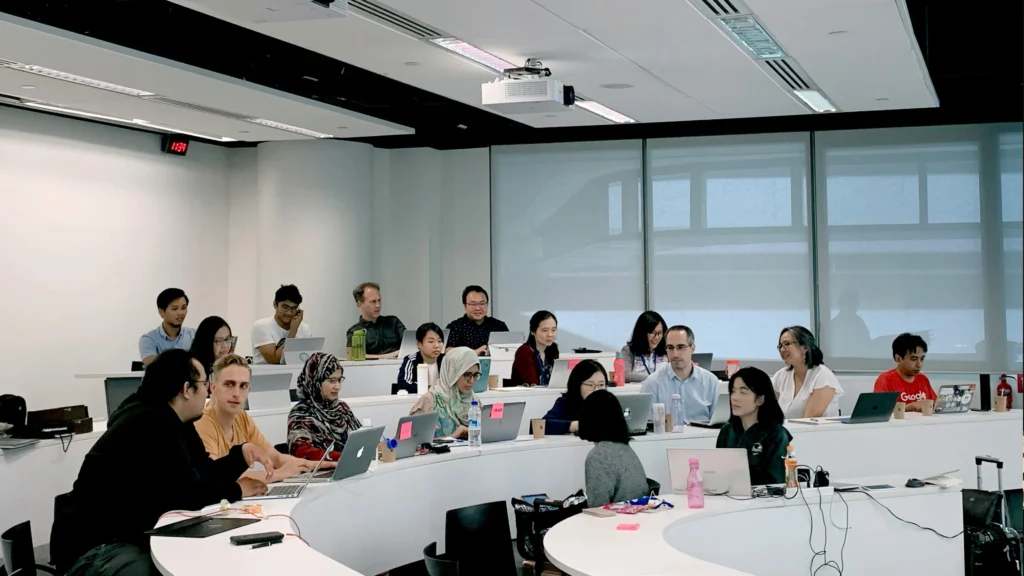
Hybrid learning environments have transformed the way classrooms operate. Instead of teaching only students physically present in the room, educators now interact simultaneously with in-person participants and remote students connected through video conferencing platforms. While this model provides flexibility and accessibility, it also introduces technical complexity—especially when it comes to sound synchronization.
One of the most disruptive technical issues in modern educational environments is Audio Delay in Hybrid Classrooms. Even a delay of a few hundred milliseconds can cause serious communication problems during lectures, discussions, and collaborative activities.
Unlike traditional classrooms, hybrid environments require audio to travel through multiple layers of technology before reaching remote participants. Microphones capture sound, digital signal processors modify and route it, conferencing platforms encode and transmit it, and speakers finally play it back to listeners. Each step adds processing time.
When these delays accumulate, instructors may experience situations such as:
- Students hearing questions several seconds late
- Echo and overlapping speech during discussions
- Remote participants interrupting unintentionally
- Difficulty maintaining conversational flow
These problems do not only affect audio quality; they directly influence teaching effectiveness and student engagement.
Understanding the root causes of Audio Delay in Hybrid Classrooms is therefore essential for IT administrators, AV technicians, and institutions investing in smart classroom technology.
How Hybrid Learning Changes Audio Requirements
In a traditional classroom, sound travels directly from speaker to listener through the air. The delay is practically negligible.
Hybrid classrooms are very different. The audio signal must pass through multiple digital systems before it reaches remote participants.
A typical hybrid classroom audio path may include:
- Microphone capture
- Digital signal processing (DSP)
- Video conferencing software encoding
- Network transmission
- Cloud server processing
- Remote device playback
Each stage introduces latency. Individually the delays may be small, but together they can create noticeable synchronization issues.
In environments where instructors frequently interact with remote participants, even minor audio lag can disrupt the natural rhythm of conversation. Teachers may pause awkwardly while waiting for responses, and students may speak over each other unintentionally.
This is why solving Audio Delay in Hybrid Classrooms requires a holistic understanding of how audio moves through an AV ecosystem.
Why Small Delays Become Big Teaching Problems
Humans are extremely sensitive to timing during conversations. Research shows that people begin noticing conversational interruptions when audio delays exceed roughly 200 milliseconds.
In hybrid classrooms, delays can easily exceed that threshold.
When Audio Delay in Hybrid Classrooms becomes noticeable, several issues appear:
First, conversational flow breaks down. Participants cannot predict when someone else will start speaking, which leads to interruptions and overlapping dialogue.
Second, teachers lose their ability to gauge classroom engagement. In a physical classroom, responses occur immediately. In hybrid environments, delayed responses can make students appear disengaged even when they are simply reacting to delayed audio.
Third, collaborative discussions become difficult. Group conversations rely heavily on timing, and audio lag makes coordination challenging.
Over time, these disruptions reduce the effectiveness of hybrid learning environments.
Common Symptoms of Audio Delay
Before administrators can fix Audio Delay in Hybrid Classrooms, they must identify the symptoms accurately. Audio delay often appears in subtle ways that may initially be mistaken for other technical issues.
Some of the most common symptoms include:
- Remote students hearing the teacher several seconds late
- Participants speaking at the same time due to delayed responses
- Echo caused by delayed playback loops
- Lip-sync mismatch between video and audio
- Teachers pausing frequently while waiting for responses
In many cases, instructors assume the problem originates from conferencing software. However, the root cause may actually lie within the classroom AV system itself.
Diagnosing these symptoms correctly is the first step toward solving Audio Delay in Hybrid Classrooms effectively.
How Audio Travels in a Hybrid Classroom System
To troubleshoot Audio Delay in Hybrid Classrooms, it is important to understand the entire signal path from microphone to speaker. Audio in hybrid environments does not move directly from instructor to student. Instead, it travels through multiple processing layers.
Each layer introduces potential latency.
Below is a simplified overview of the audio signal path.
| Stage | Function | Potential Delay |
|---|---|---|
| Microphone capture | Converts sound waves to electrical signal | 2–5 ms |
| DSP processing | Noise reduction, echo cancellation | 5–20 ms |
| Software encoding | Compression for conferencing | 20–50 ms |
| Network transmission | Data transfer across network | 10–80 ms |
| Cloud processing | Platform buffering and routing | 50–150 ms |
| Playback on remote device | Audio output to speakers | 5–10 ms |
Even under optimal conditions, the total delay may reach 100–200 milliseconds. When network congestion or misconfigured DSP systems are involved, the delay can become much larger.
Understanding these stages helps technicians identify where Audio Delay in Hybrid Classrooms originates.
Microphone to DSP Processing
The first stage of audio processing occurs inside the classroom itself.
Microphones capture sound and send it to a digital signal processor (DSP). The DSP performs tasks such as:
- Echo cancellation
- Noise suppression
- Automatic gain control
- Audio routing
These functions are essential for improving audio clarity, but they also introduce processing time.
Poor DSP configuration is a frequent cause of Audio Delay in Hybrid Classrooms. For example, excessive filtering or improperly tuned echo cancellation can increase latency significantly.
Technicians should regularly inspect DSP settings and verify that processing chains remain optimized.
DSP to Video Conferencing Software
After DSP processing, audio signals are sent to conferencing software running on a classroom computer.
The software must convert the audio stream into a compressed format suitable for internet transmission. Encoding algorithms introduce additional delay because they must buffer audio data before sending it across the network.
If system resources are limited—for example, if the classroom computer is overloaded—the encoding process may slow down even further.
This stage is often overlooked when diagnosing Audio Delay in Hybrid Classrooms, but software processing time can contribute significantly to overall latency.
Network Transmission and Cloud Processing
Once encoded, audio packets travel across the network to remote participants.
Network latency depends on several factors:
- Internet connection quality
- Network congestion
- Router and switch performance
- Distance between participants
Video conferencing platforms also perform server-side processing, which may include mixing multiple audio streams or synchronizing audio and video data.
In some cases, these systems intentionally introduce small delays to ensure stable playback for all participants.
However, when networks are poorly configured, these delays can increase dramatically, resulting in severe Audio Delay in Hybrid Classrooms.
Speaker Playback and Echo Cancellation
Finally, audio reaches remote participants and plays through their speakers or headphones.
If echo cancellation systems are not properly configured, audio may loop back into microphones and create additional delays or feedback effects.
In hybrid classrooms, echo control is particularly important because both local and remote audio signals interact.
Misconfigured echo cancellation systems are a common contributor to Audio Delay in Hybrid Classrooms, especially when multiple microphones and speakers are used in the same room.
The Most Common Causes of Audio Delay in Hybrid Classrooms
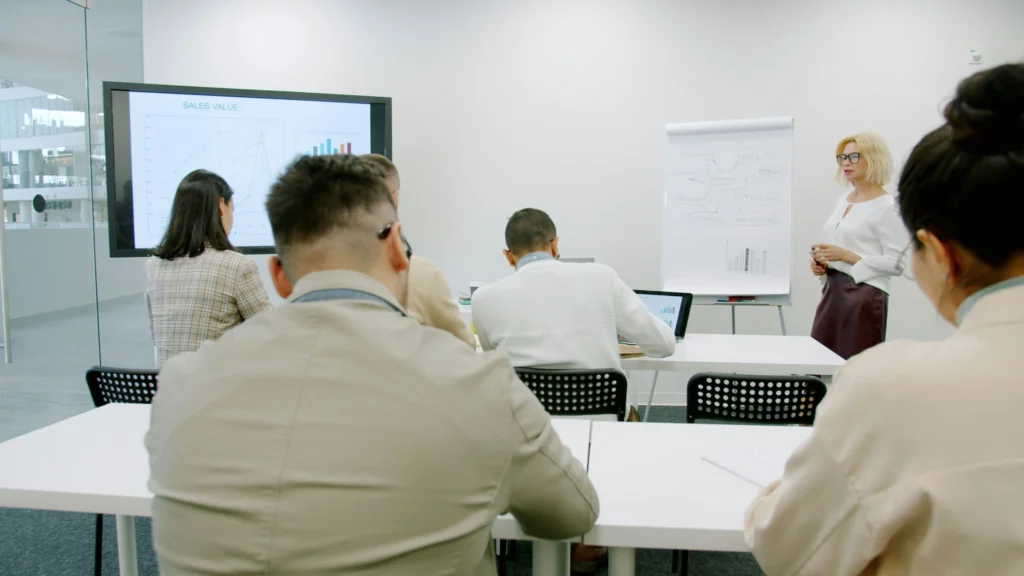
Although many factors influence audio synchronization, several causes appear repeatedly in real-world deployments.
Understanding these causes helps institutions prioritize troubleshooting efforts.
Network Latency
Network latency is one of the most frequent contributors to Audio Delay in Hybrid Classrooms. When data packets travel slowly through a network, audio arrives later than expected.
High latency often occurs when:
- Classroom networks share bandwidth with many devices
- Wireless connections are unstable
- Network switches are overloaded
- Quality-of-service settings are missing
Even well-designed AV systems can experience synchronization issues if the underlying network infrastructure is insufficient.
Digital Signal Processing Delay
DSP systems improve sound quality but also introduce processing time.
Advanced features such as beamforming microphones and adaptive noise reduction require complex calculations. When multiple DSP modules are chained together, latency increases.
If technicians enable unnecessary processing features, they may unintentionally create significant Audio Delay in Hybrid Classrooms.
Optimizing DSP configurations can often reduce latency dramatically.
Video Conferencing Platform Buffering
Most conferencing platforms intentionally buffer audio to maintain stability during network fluctuations.
This buffering ensures smooth playback but increases overall delay.
If network performance becomes inconsistent, conferencing platforms may increase buffer sizes automatically. This adjustment can result in noticeable Audio Delay in Hybrid Classrooms.
Additional Causes of Audio Delay in Hybrid Classrooms
While network latency and signal processing are common contributors, several other factors frequently create synchronization issues in hybrid teaching environments. Many schools invest in advanced AV equipment but overlook configuration details that significantly affect latency.
Understanding these additional causes can help administrators reduce Audio Delay in Hybrid Classrooms more effectively.
Wireless Microphone Transmission Lag
Wireless microphone systems are widely used in hybrid classrooms because they provide mobility for instructors. However, these systems introduce an extra transmission layer that can add latency to the audio signal.
Unlike wired microphones, wireless systems must convert audio into radio signals before transmitting them to a receiver. That receiver then converts the signal back into digital audio for processing.
Each conversion stage introduces a small delay.
In most cases the delay is minimal, but in complex AV systems where audio already passes through several processors, the additional latency from wireless microphones can contribute to noticeable Audio Delay in Hybrid Classrooms.
Several factors can increase wireless microphone latency:
- Low battery levels in transmitters
- Interference from other wireless devices
- Poor receiver placement
- Outdated wireless protocols
When wireless systems operate in congested RF environments, retransmissions may occur, increasing latency further.
For classrooms that rely heavily on wireless audio systems, technicians should regularly test transmission performance and ensure firmware remains updated.
Audio Routing Misconfiguration
Another common cause of Audio Delay in Hybrid Classrooms is improper audio routing within the AV control system.
In many installations, audio signals travel through multiple routing paths before reaching the conferencing computer. For example, sound may move from microphone to DSP, then to an audio matrix, then to a recording device, and finally to conferencing software.
Each routing stage introduces processing time.
When system integrators design complex routing chains without carefully considering latency, audio delays accumulate quickly.
Misconfigured routing can also create redundant processing loops. For instance, audio might pass through two echo cancellation stages instead of one, significantly increasing delay.
Administrators troubleshooting Audio Delay in Hybrid Classrooms should therefore inspect the complete signal path rather than focusing on individual devices.
Hardware Processing Bottlenecks
Some classroom AV systems rely on control processors or embedded computers to manage audio routing and signal processing. When these devices are overloaded with tasks, processing latency increases.
Common bottlenecks include:
- Underpowered classroom computers
- Overloaded DSP processors
- Excessive background applications running on conferencing PCs
- Firmware conflicts between AV components
Older equipment is particularly vulnerable to processing delays. As conferencing platforms evolve and require more computing resources, legacy hardware may struggle to maintain real-time performance.
In these situations, upgrading processing hardware can significantly reduce Audio Delay in Hybrid Classrooms.
Troubleshooting Audio Delay in Hybrid Classrooms Step by Step
Once administrators understand the potential causes of latency, the next step is implementing a structured troubleshooting process. Randomly adjusting settings rarely solves synchronization issues.
Instead, technicians should isolate the problem step by step to determine exactly where Audio Delay in Hybrid Classrooms originates.
The following diagnostic workflow is commonly used by professional AV engineers.
Step 1 — Identify Where the Delay Happens
The first step is determining whether the delay occurs locally within the classroom or during network transmission.
Technicians can perform a simple test:
- Record audio directly from the classroom microphone system
- Compare it with the audio heard by remote participants
If the local recording is synchronized but remote participants experience delays, the issue likely lies in the network or conferencing platform.
If delays appear even in local recordings, the problem likely originates within the classroom AV system.
Identifying the location of the delay significantly narrows the troubleshooting process for Audio Delay in Hybrid Classrooms.
Step 2 — Test Local Audio Performance
Next, technicians should verify whether local audio systems function correctly.
Testing procedures may include:
- Checking microphone signal latency
- Measuring DSP processing delay
- Verifying audio routing paths
- Testing speaker playback timing
If the classroom audio system introduces delays before audio reaches the conferencing software, configuration adjustments may be necessary.
Properly optimized DSP configurations can dramatically reduce Audio Delay in Hybrid Classrooms.
Step 3 — Measure Network Latency
If local systems appear synchronized, the next step is analyzing network performance.
Network latency can be measured using diagnostic tools such as ping tests or network monitoring software.
Technicians should measure:
- Round-trip latency between classroom computer and conferencing servers
- Packet loss percentage
- Network jitter (variation in latency)
High jitter levels are particularly problematic because conferencing platforms must increase buffering to compensate, resulting in additional Audio Delay in Hybrid Classrooms.
Improving network stability often reduces synchronization problems significantly.
Step 4 — Check DSP Processing Settings
Digital signal processors play a critical role in hybrid classroom audio systems.
Technicians should review DSP configurations to ensure that unnecessary processing stages are not enabled.
Common latency contributors include:
- Multiple echo cancellation filters
- Excessive noise reduction algorithms
- Complex beamforming microphone calculations
While these features improve sound quality, they may also introduce delay if configured incorrectly.
Optimizing DSP settings is often one of the most effective ways to reduce Audio Delay in Hybrid Classrooms.
Step 5 — Verify Conferencing Software Configuration
The final step in troubleshooting involves verifying settings within the conferencing platform itself.
Different platforms handle audio buffering differently. Some software automatically adjusts buffer sizes based on network conditions.
Technicians should review:
- Audio processing options
- Noise suppression settings
- Echo cancellation features
- Device synchronization controls
In some cases, disabling redundant processing features inside conferencing software can reduce Audio Delay in Hybrid Classrooms.
However, adjustments should always be tested carefully to avoid degrading audio quality.
AV Equipment That Commonly Causes Audio Sync Issues
Certain AV devices are more likely to introduce latency than others. When diagnosing Audio Delay in Hybrid Classrooms, technicians should pay particular attention to these components.
DSP Processors
DSP processors handle complex audio calculations. When heavily configured with multiple filters and processing stages, they can introduce significant latency.
For example, advanced echo cancellation algorithms require buffering several milliseconds of audio before processing it. When combined with noise suppression and dynamic gain control, the total delay increases.
Regular DSP configuration audits can help prevent excessive Audio Delay in Hybrid Classrooms.
Wireless Microphones
As mentioned earlier, wireless microphones add transmission latency to the audio chain.
Although modern digital wireless systems minimize delay, older analog systems or poorly configured receivers can introduce noticeable synchronization issues.
Technicians should verify:
- Receiver firmware updates
- RF channel interference levels
- Signal strength and transmission stability
Ensuring reliable wireless performance can help reduce Audio Delay in Hybrid Classrooms.
USB Audio Interfaces
Many hybrid classrooms rely on USB audio interfaces to connect AV systems to conferencing computers.
While convenient, USB interfaces may introduce latency if:
- Drivers are outdated
- Buffer sizes are misconfigured
- USB bandwidth is shared with other devices
Testing with alternative audio interfaces can help determine whether the USB connection contributes to Audio Delay in Hybrid Classrooms.
Network Switches
Network switches are often overlooked during troubleshooting, but overloaded switches can dramatically increase latency.
If multiple classrooms share the same switch and large volumes of video data pass through it, audio packets may experience delays.
Ensuring sufficient network capacity is essential for preventing Audio Delay in Hybrid Classrooms.
How to Reduce Audio Delay in Hybrid Classrooms
After identifying the root causes, institutions must implement practical solutions to reduce Audio Delay in Hybrid Classrooms. In many cases, the problem does not originate from a single device but from a combination of configuration issues across the AV ecosystem.
Improving synchronization requires adjustments across hardware, software, and network infrastructure.
Below are several proven strategies that AV professionals use to minimize latency.
Optimize Network Infrastructure
Network performance is one of the most important factors affecting Audio Delay in Hybrid Classrooms. Even well-designed AV systems cannot maintain synchronization if the underlying network infrastructure is unstable.
Several network improvements can significantly reduce latency:
First, institutions should prioritize wired connections for classroom conferencing systems. Wireless networks introduce additional variability due to interference and signal fluctuations.
Second, network administrators should implement Quality of Service (QoS) policies. QoS ensures that audio and video packets receive priority over less critical data traffic.
Third, network switches should be evaluated for capacity. Overloaded switches frequently cause packet delays, especially when multiple classrooms stream video simultaneously.
Finally, institutions should monitor network performance regularly. Continuous monitoring allows administrators to identify bandwidth bottlenecks before they create noticeable Audio Delay in Hybrid Classrooms.
Reduce Audio Processing Layers
Another effective strategy for minimizing Audio Delay in Hybrid Classrooms is reducing the number of processing layers within the audio chain.
While advanced processing features improve sound quality, each processing stage adds latency.
Technicians should review the audio signal path and determine whether any redundant processing exists.
Common examples include:
- Multiple echo cancellation systems operating simultaneously
- Noise reduction applied both in DSP processors and conferencing software
- Unnecessary audio routing loops within AV control systems
By simplifying the audio chain, administrators can significantly reduce cumulative latency.
In many classrooms, removing redundant processing features reduces Audio Delay in Hybrid Classrooms without compromising audio clarity.
Adjust Buffer Settings
Audio buffering helps maintain stable playback when network conditions fluctuate. However, excessive buffering increases delay.
Most conferencing platforms allow administrators to adjust audio buffer sizes. Lower buffer sizes reduce latency but may increase the risk of audio dropouts if network conditions are unstable.
Technicians should test different buffer settings to find the optimal balance between stability and synchronization.
When properly configured, optimized buffer settings can noticeably reduce Audio Delay in Hybrid Classrooms during live sessions.
Use Low-Latency AV Hardware
Hardware selection plays an important role in minimizing Audio Delay in Hybrid Classrooms. Modern AV equipment is often designed with low-latency performance in mind.
For example, newer DSP processors may include optimized processing algorithms that reduce signal delay. Similarly, professional wireless microphone systems use advanced transmission protocols that minimize latency.
Institutions planning new hybrid classroom deployments should evaluate equipment specifications carefully.
Low-latency hardware can prevent many synchronization problems before they appear.
Preventing Audio Delay in Future Classroom Deployments
Troubleshooting existing systems is important, but preventing future problems is even more valuable. Institutions planning new hybrid classrooms should incorporate latency considerations during the design phase.
Preventive planning can significantly reduce the likelihood of Audio Delay in Hybrid Classrooms.
AV System Design Best Practices
Effective AV system design requires careful planning of signal paths.
Audio routing should remain as direct as possible. Each additional processor or routing stage increases latency.
Designers should also ensure that DSP processing features are selected based on actual classroom needs rather than enabling every available feature.
For example, a small classroom may not require complex beamforming microphone arrays or advanced noise suppression systems.
Simplifying the system architecture helps prevent excessive Audio Delay in Hybrid Classrooms.
Network Planning for Hybrid Learning
Hybrid classrooms generate significant network traffic due to simultaneous video streams, cloud processing, and device connectivity.
Network infrastructure should therefore be designed to support peak usage conditions.
Recommended practices include:
- Dedicated network segments for AV systems
- High-capacity switches supporting video traffic
- Stable internet connectivity with sufficient bandwidth
- Continuous network monitoring tools
Proper network planning reduces the likelihood that infrastructure limitations will create Audio Delay in Hybrid Classrooms.
Monitoring Audio Latency in Real Time
Many institutions only detect audio synchronization issues after teachers report problems. A more effective approach is proactive monitoring.
Modern AV management platforms can monitor device performance and detect unusual latency patterns automatically.
These systems provide alerts when audio processing delays exceed predefined thresholds.
By identifying performance issues early, institutions can resolve problems before they escalate into noticeable Audio Delay in Hybrid Classrooms.
Real Deployment Example: Fixing Audio Delay in a Hybrid Classroom
Real-world troubleshooting often reveals that multiple factors contribute to synchronization problems.
The following case study illustrates how technicians resolved severe Audio Delay in Hybrid Classrooms in a university lecture hall.
Problem Scenario
During live hybrid lectures, remote students reported that the instructor’s voice arrived several seconds late. Students frequently interrupted each other during discussions because responses were delayed.
Local participants in the classroom did not experience any noticeable delay.
The issue appeared only for remote attendees.
Technical Investigation
Technicians began analyzing the audio signal path step by step.
First, they recorded audio directly from the classroom DSP processor. The recording showed no delay.
Next, they tested network latency between the classroom computer and the conferencing platform servers. Latency was higher than expected during peak class hours.
Further investigation revealed that the classroom network switch was handling traffic from several other lecture halls simultaneously.
Additionally, conferencing software had automatically increased its audio buffer size to compensate for unstable network conditions.
Both factors contributed to Audio Delay in Hybrid Classrooms.
Root Cause
The primary cause of the delay was network congestion caused by multiple simultaneous video streams.
Because network latency fluctuated, the conferencing platform increased audio buffering to maintain stability. This buffering introduced additional delay.
Final Solution
Technicians implemented several improvements:
- Installed a dedicated network switch for lecture hall AV systems
- Configured QoS policies to prioritize conferencing traffic
- Optimized conferencing software buffer settings
After these adjustments, Audio Delay in Hybrid Classrooms was reduced significantly.
Remote participants reported that conversations felt much more natural and responsive.
Audio Latency Benchmark Table
Understanding acceptable latency levels can help institutions determine whether Audio Delay in Hybrid Classrooms falls within normal ranges.
| Audio Path | Typical Delay |
|---|---|
| Local microphone capture | 2–5 ms |
| DSP processing | 5–20 ms |
| Audio encoding | 20–50 ms |
| Network transmission | 10–80 ms |
| Cloud conferencing platform | 50–150 ms |
| Remote device playback | 5–10 ms |
Under normal conditions, total audio delay should remain below approximately 200 milliseconds. Delays exceeding this threshold become noticeable during live conversation.
Best Practices for Low-Latency Hybrid Classrooms
Maintaining synchronized communication requires a combination of technical planning and continuous monitoring.
Institutions can minimize Audio Delay in Hybrid Classrooms by following several best practices:
First, prioritize stable wired network connections whenever possible.
Second, ensure AV system designs minimize unnecessary processing layers.
Third, regularly test classroom audio systems under real teaching conditions rather than only during installation.
Fourth, maintain updated firmware across all AV devices.
Finally, train technical staff to diagnose latency issues systematically.
By applying these strategies, institutions can maintain reliable communication in hybrid learning environments and prevent recurring Audio Delay in Hybrid Classrooms.
FAQ

What causes Audio Delay in Hybrid Classrooms?
The most common causes include network latency, excessive audio processing, conferencing software buffering, and misconfigured AV routing systems.
How much audio delay is acceptable in hybrid teaching?
In most conversations, delays below 200 milliseconds are barely noticeable. Larger delays can disrupt natural dialogue and create communication difficulties.
Can upgrading the network fix audio delay?
Yes. Many cases of Audio Delay in Hybrid Classrooms are caused by unstable or overloaded networks. Improving network infrastructure often reduces latency significantly.
Do wireless microphones create audio delay?
Wireless microphones introduce small transmission delays. While usually minimal, they can contribute to overall Audio Delay in Hybrid Classrooms when combined with other processing stages.
How can schools monitor audio latency?
Schools can use AV monitoring platforms and network diagnostic tools to measure latency and detect performance issues before they affect teaching.