Table of Contents
Why AV Maintenance Determines Smart Classroom Performance
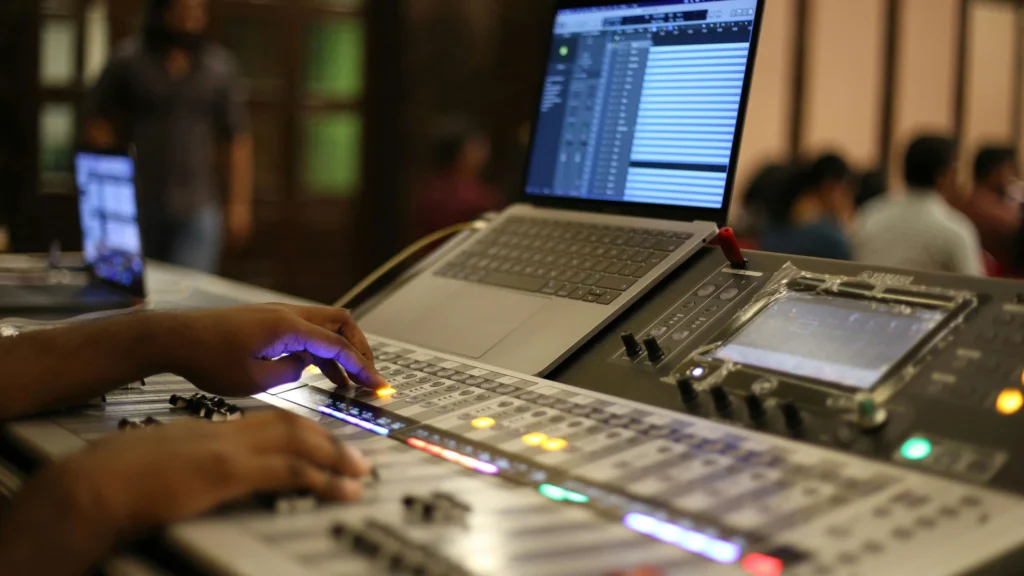
Smart classrooms are not static installations.
They are dynamic environments where hardware, software, network, and power systems interact continuously during teaching sessions.
If maintenance is neglected, performance degradation does not appear instantly. Instead, problems accumulate gradually:
- Dust increases system temperature
- Firmware becomes outdated
- Audio gain drifts
- Network latency increases
- Cable connectors loosen over time
Eventually, minor inefficiencies combine and create full system failure.
This is why an effective AV maintenance checklist for smart classrooms is not optional — it is an operational necessity.
Organizations that implement structured maintenance experience:
- Lower emergency repair costs
- Reduced downtime
- Longer hardware lifespan
- Higher classroom reliability
Maintenance protects technology investment.
Maintenance as a Cost Control Strategy
Many schools underestimate the financial impact of maintenance neglect.
When systems break unexpectedly, the cost is higher because:
- Technicians must respond urgently
- Spare parts may not be available
- Lessons are interrupted
- Repair contracts may charge premium service fees
Preventive maintenance costs significantly less than emergency repair.
From a financial perspective:
Proactive maintenance = Controlled spending
Reactive repair = Unpredictable expense
This difference directly impacts budget planning.
The Hidden Risk of “Working But Not Optimized”
A system may appear functional while silently degrading.
For example:
- Projector brightness slowly decreases
- Audio clarity drops but remains audible
- Network latency increases slightly
- Touch accuracy becomes less responsive
Teachers often adapt to these gradual changes instead of reporting them.
This leads to reduced performance without obvious failure.
Regular inspections detect performance decline before it becomes critical.
Many deployment problems actually begin during installation.
See our Smart Classroom Setup Checklist to understand the most common setup mistakes.
Maintenance Breakdown by System Component
Smart classroom AV infrastructure is composed of multiple interdependent layers.
Each layer requires specific inspection methods and diagnostic tools.
Ignoring one subsystem can trigger cascading performance issues across the entire environment.
A structured maintenance approach should examine hardware, software, connectivity, and environmental factors separately.
Interactive Display Maintenance in Real Deployment Environments
Interactive displays are usually the central interface of smart classrooms.
Because they operate for long hours daily, they accumulate stress from heat, touch interaction, and power cycles.
Common Technical Issues
Over time, administrators may observe:
- Touch calibration drift
- Unresponsive touch zones
- Screen flickering
- Reduced brightness output
- Slow system boot time
These problems usually develop gradually.
Root Causes Behind Display Degradation
Most performance decline results from:
- Dust accumulation inside ventilation ports
- Thermal stress affecting internal circuits
- Firmware instability
- Outdated graphics drivers
- Power fluctuations
Heat is the biggest silent killer of display systems.
When airflow becomes restricted due to dust buildup, internal components operate at higher temperatures, reducing lifespan.
Maintenance Tasks for Displays
A proper maintenance checklist should include:
- Cleaning air vents monthly
- Testing touch accuracy across screen corners
- Checking brightness consistency
- Verifying firmware updates
- Monitoring temperature sensors if available
Technicians should document performance before and after maintenance to measure improvement.
Audio System Maintenance: The Most Sensitive Component
Audio systems often cause the most complaints in smart classrooms.
Unlike visual equipment, audio issues immediately disrupt communication.
Audio performance is closely tied to classroom AV architecture.
Understanding the difference between device-driven systems and user-device systems is also important.
Typical Audio Problems in Classrooms
Schools frequently encounter:
- Echo during online teaching
- Feedback noise
- Low microphone sensitivity
- Uneven speaker volume
- Audio delay in hybrid sessions
These problems reduce classroom engagement significantly.
Why Audio Systems Fail Over Time
Audio degradation is usually caused by:
- Loose microphone connectors
- Incorrect gain settings
- Dust affecting speaker drivers
- Network latency in IP-based audio systems
- Firmware conflicts in DSP processors
Small configuration errors can accumulate and create noticeable distortion.
Audio Maintenance Checklist
Maintenance teams should:
- Test microphone input levels
- Adjust gain thresholds
- Inspect physical cable connections
- Perform feedback simulation tests
- Verify echo cancellation functionality
Testing should be conducted in real classroom conditions, not just empty rooms.
Audio Pickup in Classrooms – Microphones, Arrays, and Mistakes
Network Equipment Maintenance for AV Stability
Modern smart classrooms depend heavily on network connectivity.
Without stable network performance, wireless casting, video conferencing, and cloud-based tools fail.
If your classroom frequently experiences unstable casting or video conferencing, network infrastructure is often the root cause.
Critical Network Components to Inspect
Technicians must examine:
- Managed switches
- Access points
- VLAN configuration
- PoE output stability
- Router firmware
Network devices often operate continuously without reboot for long periods.
This increases the probability of performance degradation.
Common Network Failure Scenarios
Real-world problems include:
- Switch ports failing silently
- Access point overload during peak class hours
- Bandwidth congestion from student devices
- Misconfigured QoS policies
These issues usually remain unnoticed until teachers report system lag.
Network Maintenance Actions
Recommended maintenance tasks:
- Monitor traffic statistics monthly
- Review device logs
- Test latency during peak hours
- Check power redundancy
- Verify VLAN isolation
Network monitoring tools dramatically improve visibility.
Network Maintenance Summary Table
| Component | Key Risk | Maintenance Action | Frequency |
|---|---|---|---|
| Switch | Port failure | Test connectivity | Quarterly |
| Access Point | Overload | Check signal strength | Monthly |
| Router | Firmware bugs | Update firmware | Quarterly |
| VLAN | Misconfiguration | Verify segmentation | Annually |
This structured approach reduces unexpected network downtime.
Power Stability and Environmental Control
Power instability often triggers random system failures.
Many administrators misinterpret power-related issues as hardware defects.
Power quality and cable routing often determine long-term system reliability.
Power Risks in Smart Classrooms
Potential issues include:
- Voltage fluctuations
- Power surges
- Loose power connectors
- Overloaded circuits
- Lack of backup protection
When power fails briefly, network devices and AV systems reboot unexpectedly.
This interrupts ongoing teaching sessions.
Recommended Power Protection Measures
Schools should implement:
- UPS backup for network equipment
- Surge protection for displays
- Separate circuits for AV infrastructure
- Voltage monitoring systems
Power protection reduces sudden hardware damage.
Moving From Reactive Maintenance to Predictive Maintenance
Most schools still operate under a reactive maintenance model.
They wait until a system fails before scheduling repair.
This approach creates:
- Classroom downtime
- Emergency technician calls
- Higher repair costs
- Unplanned budget pressure
Modern smart classroom environments require a predictive maintenance model instead.
Predictive maintenance means:
- Monitoring system performance continuously
- Identifying early warning signals
- Fixing issues before failure occurs
This approach significantly improves system reliability.
Real-World Failure Case Study
#1: Audio System Breakdown During Exam Week
Scenario
A school experienced repeated audio distortion during online exam supervision.
Teachers reported:
- Sudden microphone feedback
- Intermittent sound interruption
Initial assumption: Microphone hardware defect.
Technical Investigation
After inspection, technicians discovered:
- Gain settings were improperly configured
- Automatic firmware update modified audio thresholds
- Network latency affected IP-based audio synchronization
The system was technically functional — but misconfigured.
Root Cause
Lack of periodic configuration verification after firmware update.
Maintenance failure resulted in temporary teaching disruption.
Lesson Learned
Regular system verification after updates is critical.
Software updates can alter performance behavior unexpectedly.
#2: Network Failure Due to Overloaded Switch
Scenario
During peak class hours, screen casting repeatedly disconnected.
Teachers complained about unstable connectivity.
Investigation Findings
Technicians discovered:
- Switch CPU utilization reached 95%
- Multiple devices competed for bandwidth
- VLAN traffic was not optimized
The switch was not physically damaged — it was overloaded.
Solution
After implementing:
- Traffic segmentation
- QoS configuration
- Additional managed switch deployment
Stability improved significantly.
Key Insight
Network capacity planning must consider peak traffic, not average traffic.
Risk Classification Model for Smart Classroom Maintenance
Not all maintenance issues carry equal risk.
Schools should prioritize based on impact severity.
Risk Level Categorization
Maintenance problems can be grouped into three levels:
🔴 High-Risk Issues
These cause immediate teaching disruption.
Examples:
- Network outage
- Audio system failure
- Control system crash
Action: Immediate repair required.
🟡 Medium-Risk Issues
These degrade performance but do not fully stop operations.
Examples:
- Reduced brightness
- Minor audio distortion
- Slight network latency
Action: Repair within scheduled maintenance cycle.
🟢 Low-Risk Issues
These are preventive concerns.
Examples:
- Dust accumulation
- Minor firmware updates
- Cable organization
Action: Address during periodic maintenance.
Risk Prioritization Table
| Risk Level | Impact | Response Time | Maintenance Priority |
|---|---|---|---|
| High | System downtime | Immediate | Critical |
| Medium | Performance reduction | Within weeks | Important |
| Low | Potential future risk | Scheduled | Preventive |
This model helps maintenance teams allocate resources efficiently.
ROI Analysis: Why Maintenance Saves Money
Maintenance is often viewed as cost overhead.
However, data shows it reduces long-term expenses.
Many institutions invest heavily in technology but underestimate the importance of operational training.
Cost Comparison: Preventive vs Emergency Maintenance
| Cost Category | Preventive Maintenance | Emergency Repair |
|---|---|---|
| Service Fee | Low | High |
| Downtime | Minimal | Significant |
| Parts Replacement | Planned | Urgent Purchase |
| Operational Impact | Controlled | Disruptive |
Emergency repairs often cost 2x to 5x more than planned maintenance.
Financial Insight
If a school invests annually in structured maintenance:
- Equipment lifespan extends
- Repair frequency decreases
- Unexpected downtime reduces
Over five years, total ownership cost decreases significantly.
Maintenance as Part of Digital Transformation Budget
Smart classroom investment should include:
- Hardware procurement
- Network infrastructure
- Training
- Ongoing maintenance
Maintenance should not be treated as optional.
It is part of infrastructure sustainability.
Advanced Monitoring Tools for Automated AV Maintenance Checklist
Manual inspections are effective but limited.
Modern schools can improve efficiency through monitoring tools.
Tools That Improve Maintenance Efficiency
Schools can deploy:
- Network monitoring dashboards
- Device health monitoring software
- Remote firmware management systems
- Automated alert systems
These tools provide real-time visibility into system performance.
Automation Benefits
Automated monitoring enables:
- Early fault detection
- Reduced manual inspection workload
- Faster troubleshooting
Automation transforms maintenance from reactive to intelligent.
Final AV Maintenance Checklist Strategic Recommendation
Smart classrooms require continuous operational management.
An effective AV maintenance checklist for smart classrooms should include:
- Hardware inspection
- Audio verification
- Network monitoring
- Power protection
- Firmware updates
- Risk assessment
- Performance tracking
When maintenance becomes systematic rather than ad hoc, classroom reliability increases dramatically.
Advanced AV Maintenance Checklist KPI Tracking Table
| KPI | Target | Measurement Method |
|---|---|---|
| System Downtime | <2% annually | Monitoring logs |
| Audio Failure Rate | <5% | Incident reports |
| Network Outage | Minimal | Network analytics |
| Support Tickets | Decreasing trend | Ticket system data |
| Equipment Lifespan | Extended by 20% | Asset tracking |
Tracking KPIs ensures accountability.
Recommended AV Maintenance Checklist Schedule
Schools should implement structured maintenance intervals.
Maintenance Frequency Table
| Task Type | Monthly | Quarterly | Annually |
|---|---|---|---|
| Audio Testing | ✅ | ||
| Display Cleaning | ✅ | ||
| Firmware Update | ✅ | ||
| Network Audit | ✅ | ||
| Full System Inspection | ✅ |
This schedule ensures proactive management instead of emergency troubleshooting.
Benefits of Implementing an AV Maintenance Checklist
Structured maintenance delivers measurable benefits:
- Reduced unexpected downtime
- Extended hardware lifespan
- Improved classroom reliability
- Lower long-term repair costs
- Better technology ROI
When maintenance becomes standardized, system performance remains stable across multiple academic years.
Maintenance planning should be considered part of digital infrastructure management.
FAQ of AV Maintenance Checklist
Why is AV maintenance important in smart classrooms?
Smart classrooms rely on integrated technology. Without regular maintenance, system components degrade and cause teaching disruptions.
How often should AV systems be checked?
Basic checks should be performed monthly. Full inspections should occur annually.
Who is responsible for maintenance?
Typically IT staff or facility management teams handle maintenance, but training local teachers to perform basic checks improves efficiency.
What happens if maintenance is ignored?
Ignoring maintenance increases the risk of hardware failure, audio distortion, network instability, and unexpected downtime.
How Often Should Smart Classroom AV Systems Be Maintained?
Maintenance frequency depends on usage intensity.
Recommended model:
· Basic inspection → Monthly
· Firmware updates → Quarterly
· Full technical audit → Annually
High-usage classrooms may require more frequent checks.
Regular monitoring prevents unexpected system failure.
Who Is Responsible for AV Maintenance?
Responsibility typically falls into three layers:
IT Department → Technical configuration
Facility Management → Physical inspection
Teachers → Basic daily checks
Large institutions benefit from assigning a dedicated AV support coordinator.
Clear responsibility allocation reduces confusion.
What Is the Most Common Cause of Smart Classroom Failure?
The most common cause is not hardware defect.
It is:
Network misconfiguration
Audio gain misalignment
Firmware update interference
Dust accumulation
Most failures are preventable through systematic maintenance.
How Much Does Preventive Maintenance Cost?
Costs vary depending on system scale.
However, preventive maintenance usually costs significantly less than emergency repair.
Typical cost factors include:
Technician labor
Replacement parts
Software licensing checks
Network optimization
Investment in maintenance reduces unpredictable emergency expenses.
Can Maintenance Extend Equipment Lifespan?
Yes.
Proper maintenance can:
Reduce overheating
Prevent component burnout
Improve cooling efficiency
Stabilize power distribution
Many devices last 20–40% longer when maintained properly.
What Happens If Maintenance Is Ignored?
If maintenance is ignored:
System instability increases
Downtime frequency rises
Repair costs escalate
Teaching disruptions become common
Eventually, equipment replacement happens earlier than planned.
Maintenance Failure Warning Signs (Early Detection Checklist)
Schools should monitor these warning signals:
Warning Indicators That Maintenance Is Needed
If you observe:
- Frequent system reboot
- Audio distortion appearing suddenly
- Network latency spikes
- Display overheating warnings
- Touchscreen lag
Maintenance intervention is required.
Early detection prevents system collapse.
Warning Signals Table
| Symptom | Possible Cause | Recommended Action |
|---|---|---|
| Audio echo | Gain misconfiguration | Adjust settings |
| Screen flicker | Power instability | Check power supply |
| Network lag | Switch overload | Upgrade capacity |
| Device overheating | Dust blockage | Clean ventilation |
This table increases practical usability and SEO depth.
AV Maintenance Checklist for IT Teams

Below is a practical execution version of the AV maintenance checklist.
Quarterly Technical Audit Steps
Technicians should verify:
- Firmware versions
- Network traffic statistics
- Device log errors
- Storage health status
- Audio calibration
Document results after each inspection.
Annual Infrastructure Review
Once per year, institutions should evaluate:
- Hardware replacement cycles
- Network capacity growth
- Power load calculation
- Equipment aging rate
This helps align maintenance with long-term planning.
For organizations planning a full deployment roadmap, maintenance should be considered alongside installation, training, and infrastructure planning.