Table of Contents
Part 1 — Purpose & Core Differences
Smart classroom vs smart conference room is a key concern for most deployers as they both leverage advanced AV, control, and hybrid communication systems, but their design priorities differ significantly. Understanding these differences is essential for a successful deployment and informs how one environment can borrow strategies from the other.
Functional Objectives
Smart Classroom Focus
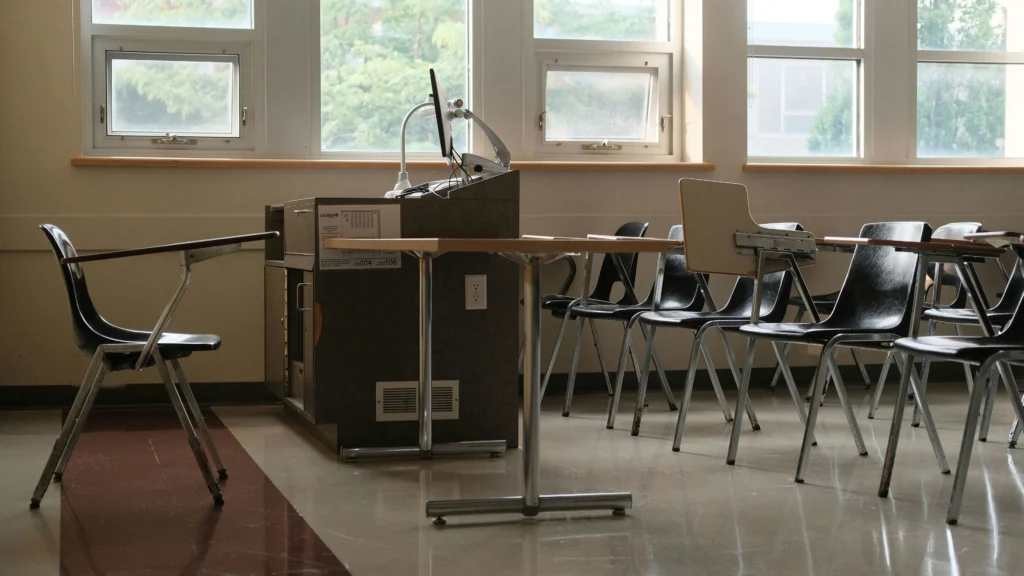
The primary goal of a smart classroom is to deliver instruction efficiently and engage students in both physical and virtual learning. Teachers act as the main content source, and students are largely recipients of knowledge, with occasional interactive participation. Classroom AV and control systems are optimized to support lecture clarity, visibility of content, and hybrid accessibility.
Smart Conference Room Focus
Smart conference rooms are designed to facilitate multi-party discussion and decision-making. Every participant may speak, present, or share content simultaneously, and the system must manage multiple audio and visual inputs efficiently. Remote participants must see and hear all attendees clearly, which requires more sophisticated microphone arrays and camera coverage compared to standard classrooms.
| Aspect | Smart Classroom | Smart Conference Room |
|---|---|---|
| Primary Function | Teaching, content delivery, student engagement | Multi-party discussion, collaboration, decision-making |
| Typical Occupancy | 20–50 students | 6–20 participants |
| Visual Emphasis | Instructor, presentation content | All participants, shared screens |
| Audio Emphasis | Teacher voice reinforcement | Equal capture of all voices |
| Hybrid Requirements | Lecture capture, live streaming | Video conferencing, multi-party collaboration |
| Special Considerations | Large rooms, ambient noise, seating visibility | Table acoustics, overlapping speech, participant positioning |
Audience Dynamics & Interaction

Student-Centric Engagement
In classrooms, interaction is primarily between the teacher and the students. AV systems are designed to ensure the teacher’s voice and visual aids reach every student without distortion or delay. Secondary microphones for student participation are optional but may be included for discussions or Q&A sessions.
Collaborative Participation
Conference rooms require all participants to be equally audible and visible. Table microphones, ceiling arrays, and wide-angle cameras are standard. Hybrid collaboration requires the system to handle bidirectional audio, multiple content streams, and screen sharing, often simultaneously.
Environmental & Infrastructure Differences
Classrooms and conference rooms also diverge in environmental constraints, which directly affect Smart Classroom Hardware Deployment strategies.
| Deployment Aspect | Smart Classroom | Smart Conference Room |
|---|---|---|
| Room Size & Layout | Large rows for students, clear front-of-room view | Smaller, enclosed table setups |
| Acoustic Considerations | Ceiling reflection, ambient noise from students | Overlapping speech, table reflections, multiple simultaneous voices |
| Lighting Conditions | Focused on front display visibility | Balanced for participant visibility on video feeds |
| Power & Connectivity | Central AV devices, optional student device access | All participants’ devices connected, high network demand |
| Future Expansion | Space for additional displays, cameras, or podiums | Scalability for larger meetings or extra collaboration tools |
Overlapping Elements & Adaptable Strategies
Despite these differences, classrooms and conference rooms share common technology layers:
- High-resolution displays for content visualization.
- Cameras for hybrid participation or lecture capture.
- Microphones and speakers for clear audio delivery.
- Centralized control panels for simplified operation.
The key in Smart Classroom vs Smart Conference Room deployment is recognizing which strategies can be adapted. For instance:
- A conference room’s table microphone setup can enhance a discussion-heavy classroom.
- A classroom’s lecture capture approach can be used in boardrooms for recording and streaming meetings.
- Network design principles from one environment often apply to the other, especially for hybrid scenarios.
Part 2 — Audio & Visual Deployment Considerations
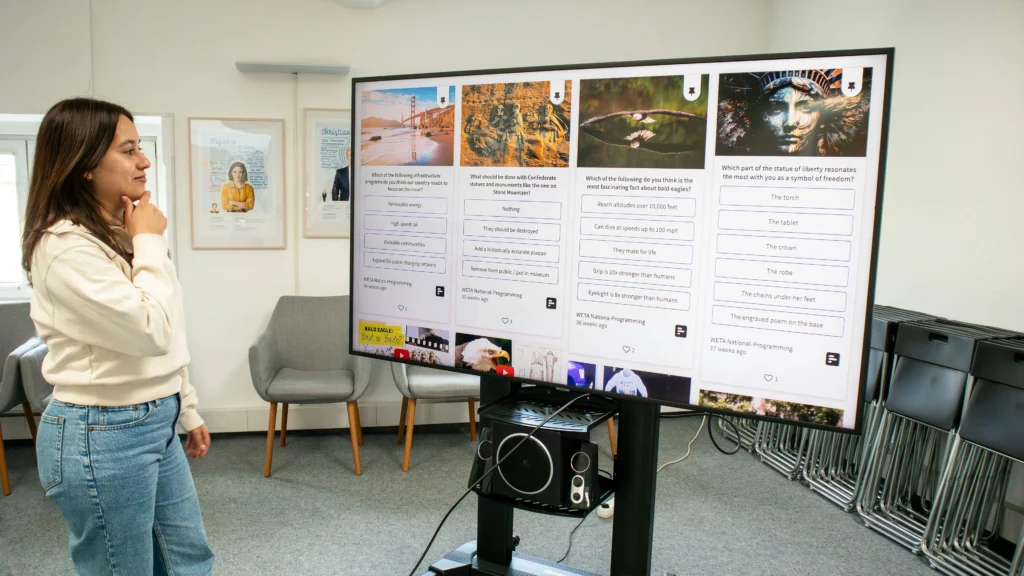
The success of both smart classrooms and smart conference rooms heavily depends on audio and visual (AV) performance. While there are overlapping technologies, the deployment priorities and design strategies differ. Understanding these nuances ensures that both environments achieve clear communication, engagement, and hybrid functionality.
Visual System Strategies
Display Selection & Placement
In a smart classroom, the focus is on content visibility for all students. A large interactive display or a combination of short-throw projectors ensures that lesson materials are legible from every row. Sightlines, ambient lighting, and distance from the first row are key considerations. Secondary displays may be added for hybrid learning participants or collaborative group work.
In a smart conference room, visual systems prioritize inclusivity and shared awareness. Displays are often positioned at eye level around the table, with multi-screen setups to show remote participants, shared documents, and presentation slides simultaneously. Camera placement must also ensure all attendees are visible, so displays often integrate with video conferencing software.
| Deployment Aspect | Smart Classroom | Smart Conference Room |
|---|---|---|
| Primary Displays | Large interactive display, short-throw projector | Multi-screen setups, shared content panels |
| Secondary Displays | Optional for group work or hybrid participants | Often required for remote participant visibility |
| Camera Coverage | Teacher + board area, optional student cameras | Wide-angle and multi-camera to capture all participants |
| Lighting Needs | Brightness for legibility, reduce glare | Balanced illumination for video conferencing clarity |
Projector vs Display Integration
Classrooms may rely on projectors to accommodate large screens while preserving wall space, whereas conference rooms favor flat-panel displays to provide consistent brightness and color accuracy for remote collaboration. When adapting a classroom for conference use, it may be necessary to upgrade to multi-display configurations or reposition projectors to avoid shadows during discussions.
Audio System Strategies
Voice Reinforcement & Coverage
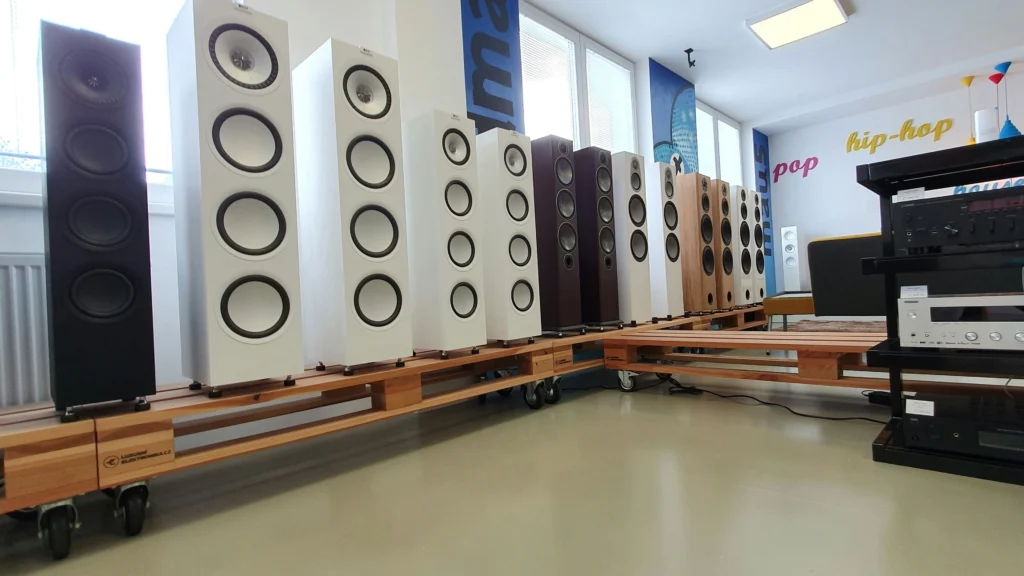
Classroom audio emphasizes the teacher’s voice clarity. Ceiling or lapel microphones amplify speech while distributed ceiling speakers ensure consistent sound throughout the room. Environmental noise, echo, and reverberation must be measured and addressed using acoustic treatments or DSP (digital signal processing).
Conference rooms, in contrast, require equal capture of multiple voices. Table microphones, boundary arrays, or ceiling microphones are deployed to ensure all participants are heard clearly. Overlapping speech and multiple simultaneous speakers are common challenges, especially in government or corporate settings.
| Audio Deployment Factor | Smart Classroom | Smart Conference Room |
|---|---|---|
| Primary Microphones | Teacher lapel, ceiling mic optional | Table microphones, ceiling arrays |
| Secondary Microphones | Optional for student participation | Mandatory for multi-participant capture |
| Acoustic Treatment | Reduce echo and ambient noise | Minimize cross-talk and reflection from table surfaces |
| Audio Processing | Equalization, feedback suppression | Echo cancellation, gain control, multi-zone audio |
Hybrid Integration Considerations
Both environments increasingly support hybrid participation, but the approach varies. In classrooms, hybrid systems prioritize lecture capture and streaming for students learning remotely. In conference rooms, hybrid setups must facilitate bidirectional communication, real-time collaboration, and multiple video feeds. Deployment teams often need to configure audio zones, prioritize participant microphones, and ensure latency-free connections.
Synchronizing AV Systems with Room Design
Proper AV deployment is always integrated with the physical layout. In smart classrooms, rows of students, podium position, and sightlines dictate display and speaker placement. In conference rooms, the table configuration, seating orientation, and camera angles drive AV setup. In both scenarios, centralized control panels simplify switching between modes, adjusting volume, or managing multiple video sources.
A critical lesson from Smart Classroom vs Smart Conference Room deployment is that misaligned audio or visual systems can undermine even the most expensive equipment. Professional planning considers:
- Mapping speaker zones to the seating plan.
- Adjusting display size and angle to accommodate room depth.
- Integrating lighting and ambient noise mitigation.
- Ensuring network infrastructure supports live streaming or video conferencing simultaneously.
Our earlier discussion in What Is a Smart Classroom? A Practical Explanation provides context on how these functional requirements translate into real classroom design decisions.
Part 3 — Control, Automation & Hybrid Considerations
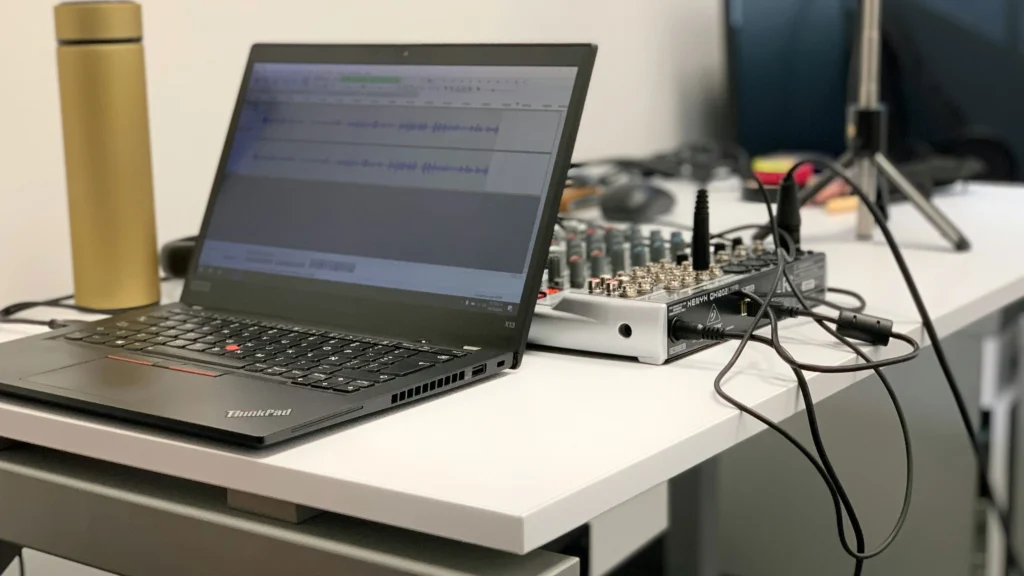
Smart environments rely not only on audio and visual performance but also on intelligent control systems and automation. Properly designed control layers allow teachers and meeting facilitators to operate complex AV setups efficiently, while hybrid capabilities ensure seamless participation of remote users.
Centralized Control Systems
Smart Classroom Control Panels
In a smart classroom, the teacher typically operates multiple devices, including interactive displays, projectors, microphones, and cameras. Centralized control panels or tablets simplify these operations by consolidating control into a single interface. Lesson modes—such as lecture, lab, or group activity—can predefine AV configurations, lighting levels, and camera focus, minimizing setup time and reducing the chance of user error.
Smart Conference Room Control Systems
Conference rooms require similar centralized control but with a different focus. Facilitators need to manage multiple displays, microphones, camera angles, and video conferencing feeds simultaneously. Pre-configured meeting modes—such as boardroom, presentation, or hybrid collaboration—allow users to switch layouts instantly. Unlike classrooms, conference room control must accommodate multiple participants actively contributing to discussions.
| Control Aspect | Smart Classroom | Smart Conference Room |
|---|---|---|
| Interface | Touch panel or tablet | Touch panel, integrated software dashboard |
| Predefined Modes | Lecture, lab, hybrid session | Boardroom, presentation, hybrid meeting |
| Device Types Managed | Displays, projectors, audio, cameras | Multi-displays, audio zones, video conferencing devices |
| User Focus | Single operator (teacher) | Multi-user facilitation (moderator + participants) |
Automation & Scheduling
Automation enhances consistency and reduces operational errors in both environments.
Classroom Automation
Classroom automation often includes:
- Scheduled device power-on/off: Ensures displays, projectors, and cameras are ready before class begins.
- Lighting presets: Adjust brightness and projection contrast depending on lesson type.
- Camera switching: Automated lecture capture transitions between teacher, board, and student views.
Conference Room Automation
Conference room automation emphasizes smooth meeting flow and participant convenience:
- Automatic camera framing: Tracks active speakers to maintain engagement in hybrid meetings.
- Audio level optimization: Ensures multiple participants are heard clearly without manual adjustment.
- Presentation synchronization: Automatically routes content to all displays when remote participants share screens.
Hybrid Participation Considerations
Hybrid learning and hybrid meetings introduce additional complexity, but the underlying principles are similar.
Smart Classroom Hybrid Setup
- Lecture capture: Cameras and microphones capture teacher presentations and student interactions.
- Streaming & recording: High-bandwidth connections allow remote students to follow the session live or on-demand.
- Interactive tools: Polling, digital whiteboards, and Q&A platforms maintain engagement.
Smart Conference Room Hybrid Setup
- Multi-user audio capture: Boundary mics or table arrays capture simultaneous contributions.
- Video conferencing integration: Cameras, displays, and AV routing allow remote participants to see all speakers and shared content.
- Collaboration software support: Real-time document editing, voting systems, or annotation tools may be necessary.
| Hybrid Consideration | Smart Classroom | Smart Conference Room |
|---|---|---|
| Primary Focus | Teacher-led sessions, student visibility | Equal voice participation for all attendees |
| Audio Capture | Teacher lapel mic, ceiling mics | Table microphones, ceiling arrays, DSP |
| Video Capture | Single or dual cameras, document camera | Multi-camera, wide-angle, active speaker tracking |
| Engagement Tools | Digital whiteboards, polling | Screen sharing, collaborative annotation, voting systems |
Lessons for Cross-Environment Deployment
The intersection of Smart Classroom vs Smart Conference Room deployment reveals opportunities for shared strategies and adaptation:
- Repurposing hardware: Classrooms with hybrid capture setups can be adapted for small meetings, while conference rooms with multi-camera setups can support training or lecture capture.
- Scalable control systems: Centralized control and automation principles apply to both environments, reducing learning curves for users transitioning between spaces.
- Network infrastructure: High-bandwidth, low-latency networks are critical in both cases; planning should consider AV streaming, video conferencing, and future upgrades.
By considering these factors, deployment teams can design AV, control, and hybrid solutions that are versatile, scalable, and aligned with functional requirements, ensuring that both classrooms and conference rooms provide consistent, high-quality experiences.
Part 4 — Common Deployment Challenges & Solutions

Even with careful planning, deploying smart classrooms and conference rooms involves real-world challenges that can affect performance, usability, and overall ROI. Understanding these challenges from an engineering perspective allows deployment teams to anticipate problems and implement preventive measures.
Functional Challenges
Misaligned Equipment
A common issue arises when devices are installed without fully matching the functional requirements of the space. In smart classrooms, this may mean displays or speakers placed at suboptimal heights, causing visibility or audibility issues for students. In conference rooms, a poorly positioned table microphone or camera can prevent remote participants from hearing or seeing all contributors clearly.
Solution:
- Conduct detailed site surveys before installation.
- Use scaled diagrams to plan placement of displays, cameras, microphones, and speakers.
- Cross-check functional needs against device specifications to ensure alignment with teaching or meeting workflows.
Overlooking Special Requirements
Specialized needs—such as lecture capture, assistive technology, or multi-user conferencing—are sometimes neglected, resulting in incomplete systems.
Solution:
- Document all special requirements early in the planning phase.
- Reserve cabling, power, and mounting options for future expansion.
- Consider modular hardware that can be repurposed between classrooms and conference rooms.
For a deeper understanding of the types of hardware used to meet these requirements, see Smart Classroom Components: Complete Guide to AV, Control & Infrastructure Systems
Environmental Challenges
Acoustic & Audio Issues
Echoes, dead zones, and uneven audio distribution can compromise both student learning and meeting effectiveness.
Solution:
- Conduct acoustic analysis to determine optimal speaker placement.
- Use ceiling or boundary microphones strategically to capture voices uniformly.
- Apply audio processing such as equalization, feedback suppression, and zoning for multi-purpose rooms.
Lighting & Visual Problems
In classrooms, glare from windows or overhead lights can make displays difficult to read. In conference rooms, reflections on tables or glass walls may interfere with camera tracking.
Solution:
- Choose display brightness and projector lumens suitable for ambient light conditions.
- Install blinds or anti-glare screens where necessary.
- Test camera positioning and lighting before finalizing mounts to ensure clear video capture.
Operational Challenges
User Complexity
Multiple AV devices and controls can overwhelm teachers or meeting facilitators, leading to underutilized systems.
Solution:
- Implement centralized control panels or mobile applications.
- Predefine lesson or meeting modes that automatically adjust devices and lighting.
- Provide concise, scenario-specific training and quick-reference guides.
Scheduling & Workflow Conflicts
In shared spaces, conflicting schedules can create issues with automated power-on/off, hybrid session preparation, or device availability.
Solution:
- Integrate AV automation with room scheduling software.
- Configure reminders and auto-start procedures for hybrid sessions.
- Maintain a clear operational protocol for staff transitioning between classrooms and conference rooms.
Technical Challenges
Network & Connectivity
Both smart classrooms and conference rooms rely heavily on stable, high-bandwidth network connections. Insufficient network planning can result in dropped video streams, poor audio quality, and delayed device response.
Solution:
- Use wired Ethernet for critical AV devices and redundant Wi-Fi for participant devices.
- Implement VLANs and QoS policies to prioritize AV traffic.
- Monitor network health and maintain bandwidth capacity for hybrid sessions.
Power & Cabling Constraints
Unorganized or insufficient cabling can lead to interference, accidental unplugging, or difficulty in maintenance.
Solution:
- Plan structured cabling routes and centralized power distribution.
- Label all cables and provide accessible junctions for future expansion.
- Include surge protection and, if possible, redundant power for critical devices.
Device Interoperability
Different brands and protocols can fail to work together seamlessly, particularly in hybrid deployments.
Solution:
- Select hardware supporting industry-standard protocols (HDMI, USB, network AV).
- Test interoperability during pilot deployment.
- Consider professional integration services for complex multi-vendor setups.
Lessons for Cross-Environment Adaptation
Analyzing deployment challenges highlights key lessons when navigating the overlap between Smart Classroom vs Smart Conference Room:
- Shared infrastructure reduces complexity: Structured cabling, centralized power, and network backbones can support both classrooms and conference rooms.
- Flexible control systems increase usability: Systems designed for classrooms can often be adapted for smaller conference setups, while conference-grade controls can be scaled down for classroom use.
- Future-proof planning is essential: Both spaces benefit from reserving capacity for additional devices, hybrid upgrades, or AI-enhanced features.
By proactively addressing functional, environmental, operational, and technical challenges, deployment teams can ensure reliable, high-performance environments that meet the needs of both educators and professional facilitators.
Part 5 — Summary & Best Practices
Smart Classroom and Smart Conference Room deployments share many technological foundations, yet their functional priorities, environmental conditions, and user workflows differ in meaningful ways. Understanding these differences—and planning for potential overlap—ensures that both learning and professional collaboration spaces operate efficiently and deliver maximum value.
Key Takeaways from Deployment
Both classrooms and conference rooms rely on well-planned audiovisual, control, and infrastructure systems. However, their priorities diverge slightly:
- Classrooms: Focus on visibility for all students, even in larger spaces, robust audio reinforcement for lectures, and hybrid learning capabilities for remote learners. Special requirements, such as assistive technology or multi-angle capture for labs, must be addressed from the outset.
- Conference Rooms: Emphasize participation from all attendees, often requiring multiple table microphones, high-quality speaker distribution, and seamless integration for remote conferencing. Hybrid functionality is also critical, but the workflow revolves around real-time collaboration rather than content delivery.
Recognizing these nuances ensures that the Smart Classroom vs Smart Conference Room design is not simply a copy-paste of one environment into the other but rather an intentional adaptation.
Best Practices for Cross-Environment Deployment
Conduct Detailed Requirement Analysis
Every deployment begins with understanding the space, occupancy, and operational goals. For classrooms, this includes student seating arrangements, lecture capture needs, and accessibility considerations. For conference rooms, this extends to participant seating, video conferencing protocols, and security or compliance requirements.
Using a requirements matrix can help deployment teams map hardware components to functional needs, ensuring no critical feature is overlooked.
Standardize Infrastructure
Where possible, adopt a shared backbone for power, network, and cabling. Structured wiring, redundant power sources, and centralized network management reduce complexity and support both environments. Standardization also simplifies maintenance and future expansion, enabling classrooms to adopt conference-grade features, or vice versa, with minimal additional work.
Optimize AV & Control Systems
Centralized control panels or tablet interfaces enhance usability for both classrooms and conference rooms. Predefined modes—such as lecture, hybrid session, or group discussion—minimize setup time and reduce operational errors. Hybrid-ready controls allow seamless switching between in-room and remote participants, regardless of environment.
Anticipate Environmental Constraints
Acoustic treatment, lighting control, and furniture arrangement must be tailored to each environment. Classrooms often prioritize even audio coverage and sightlines for large student groups, while conference rooms prioritize clear capture of multiple participant voices and avoidance of visual reflections that can affect cameras or presentation visibility.
Train Users & Maintain Systems
Even the most meticulously deployed system fails without trained operators. Teachers, facilitators, and IT staff should be provided with clear operational guides, scenario-specific training, and access to quick troubleshooting protocols. Routine maintenance schedules—covering display calibration, microphone battery replacement, and software updates—ensure long-term reliability.
Preparing for the Future
The overlap between smart classrooms and conference rooms provides an opportunity for scalable, future-proof deployments. By designing systems with modularity, sufficient cabling capacity, and network flexibility, institutions can integrate AI-assisted cameras, automated lighting, and intelligent AV routing as these technologies mature. Hybrid learning, multi-site collaboration, and accessibility enhancements become easier to implement when foundational deployment principles are robust.
Conclusion
Smart Classroom vs Smart Conference Room deployments require careful engineering, functional alignment, and user-focused design. While classrooms prioritize content delivery, hybrid learning, and specialized teaching workflows, conference rooms emphasize multi-user participation and real-time collaboration.
By following structured requirement analysis, standardized infrastructure, optimized AV and control integration, and proactive training, deployment teams can create spaces that are both reliable and adaptable. This approach maximizes investment, supports hybrid workflows, and prepares institutions for future technology upgrades.
Keyword Integration: Smart Classroom Hardware Deployment, AV integration, hybrid learning, centralized control, infrastructure planning, multi-user conferencing, Smart Classroom vs Smart Conference Room.