Table of Contents
In modern learning environments, audio clarity plays a much bigger role than many schools realize. Interactive displays, digital podiums, and hybrid teaching platforms often receive the majority of attention during technology upgrades, yet the most fundamental communication tool in a classroom is still sound. If students cannot clearly hear their teacher—or if remote learners struggle with distorted or delayed audio—learning efficiency drops dramatically.
This is why Classroom Audio Optimization has become a critical topic in educational technology planning. Whether a classroom uses a simple speaker system or a fully integrated smart classroom setup, sound quality directly influences student engagement, comprehension, and participation.
Research in educational acoustics consistently shows that even small audio problems—background noise, uneven speaker coverage, or poor microphone placement—can significantly affect how students understand spoken content. Younger students, language learners, and students sitting at the back of the classroom are especially vulnerable to poor sound environments.
In addition, hybrid and blended learning models have introduced new technical challenges. Audio now needs to serve two groups simultaneously: students in the room and those participating remotely. Without careful Classroom Audio Optimization, remote participants may experience echo, delay, or weak voice pickup, making collaboration difficult.
Fortunately, improving classroom audio does not always require expensive upgrades. Many problems can be solved through better system design, correct equipment placement, and consistent maintenance practices. By applying practical Classroom Audio Optimization strategies, schools can dramatically improve communication without significantly increasing budgets.
This guide explores the most common classroom audio problems and provides practical solutions that help teachers and IT teams create clearer, more reliable learning environments.
Why Classroom Audio Optimization Matters
When schools invest in smart classroom technology, audio systems are often treated as secondary components. Displays, projectors, and collaboration software tend to dominate technology discussions. However, clear sound is one of the most important factors in classroom communication.
Effective Classroom Audio Optimization ensures that every student—regardless of their seating position—can hear the teacher clearly and consistently.
Several key factors explain why classroom audio quality is so important.
Speech Intelligibility Directly Affects Learning
Speech intelligibility refers to how easily spoken words can be understood. In classrooms with poor acoustics, students may technically hear the teacher but still struggle to understand the content.
Background noise from hallway activity, HVAC systems, or student movement often reduces clarity. When speech intelligibility drops, students must spend more cognitive effort simply decoding speech rather than focusing on the lesson itself.
This effect is particularly significant in:
- Large classrooms
- Lecture halls
- Rooms with hard reflective surfaces
- Language learning environments
Through proper Classroom Audio Optimization, teachers can maintain consistent speech clarity across the entire room.
Teachers Often Experience Vocal Fatigue
In classrooms with weak audio systems, teachers tend to compensate by raising their voices. Over time, this leads to vocal fatigue and even long-term vocal strain.
Sound amplification systems, combined with optimized speaker placement, allow teachers to speak at a natural volume while still being heard clearly across the classroom.
This is another reason why Classroom Audio Optimization is not only a student experience issue but also a teacher wellness issue.
Hybrid Classrooms Require Better Audio Design
Hybrid learning environments introduce an additional layer of complexity. Teachers must communicate simultaneously with students in the physical classroom and those joining remotely through video conferencing platforms.
Without careful Classroom Audio Optimization, remote participants often experience issues such as:
- Delayed audio
- Echo or feedback
- Weak microphone pickup
- Inconsistent sound levels
These problems disrupt collaboration and reduce the effectiveness of hybrid teaching models.
Audio Problems Often Go Unnoticed
One challenge with classroom sound quality is that problems are not always obvious to instructors. Teachers standing near the front of the room may hear themselves clearly while students at the back struggle to understand.
Similarly, remote participants may experience severe audio issues without the teacher realizing it.
Regular system evaluation and ongoing Classroom Audio Optimization help prevent these hidden problems from affecting learning outcomes.
Common Classroom Audio Problems
Before applying optimization strategies, it is important to understand the most common audio issues found in classrooms.
Many schools invest in audio equipment but fail to address system design, placement, or acoustic conditions. As a result, even modern classrooms can suffer from poor sound quality.
The following table summarizes common classroom audio problems and their impact.
| Audio Problem | Impact on Learning |
|---|---|
| Background noise | Reduces speech clarity and student concentration |
| Uneven speaker coverage | Students in some areas cannot hear clearly |
| Echo or reverberation | Makes speech difficult to understand |
| Weak microphone pickup | Remote students cannot hear the teacher |
| Audio delay | Disrupts hybrid classroom interaction |
| Feedback noise | Creates distracting high-pitched sounds |
Each of these issues can usually be solved through better Classroom Audio Optimization practices.
Background Noise
Background noise is one of the most common classroom audio challenges. Noise sources include:
- hallway conversations
- air conditioning systems
- open windows
- student movement
When background noise levels rise, teachers must increase their speaking volume, which quickly leads to fatigue.
Reducing background noise is a key step in effective Classroom Audio Optimization.
Poor Speaker Placement
In many classrooms, speakers are placed near the front of the room, close to the display or projector. While this arrangement may seem logical, it often leads to uneven sound coverage.
Students in the front rows may experience overly loud audio, while students in the back struggle to hear clearly.
Proper Classroom Audio Optimization distributes speakers more evenly throughout the space to maintain consistent sound levels.
Microphone Placement Issues
Microphones are essential in modern classrooms, particularly in hybrid learning environments. However, incorrect placement can dramatically reduce audio quality.
Common mistakes include:
- placing microphones too far from the speaker
- positioning microphones near reflective surfaces
- using the wrong microphone type for the classroom layout
Correct microphone positioning is one of the most effective Classroom Audio Optimization improvements schools can make.
Acoustic Problems in the Room
Room acoustics play a major role in audio clarity. Classrooms with hard surfaces—such as tile floors, glass walls, and bare ceilings—often create excessive sound reflections.
These reflections produce echo and reverberation, which reduce speech intelligibility.
In these situations, Classroom Audio Optimization may involve simple acoustic treatments such as:
- acoustic panels
- wall coverings
- curtains
- ceiling tiles
10 Classroom Audio Optimization Tips
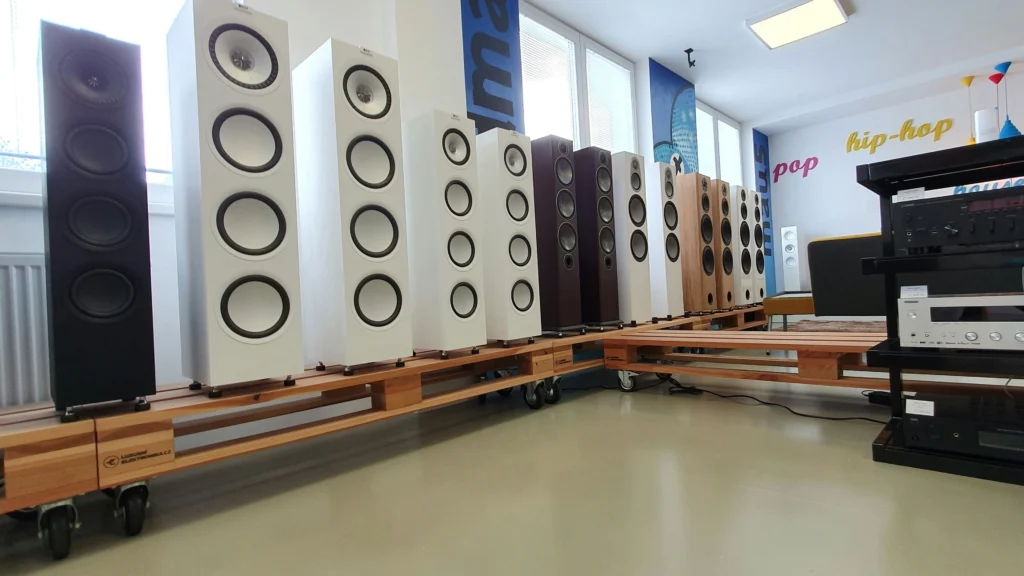
Improving classroom sound quality does not always require expensive equipment upgrades. In many cases, small adjustments can produce significant improvements.
The following Classroom Audio Optimization strategies help schools create clearer and more reliable audio environments.
Tip 1: Position Classroom Speakers for Even Coverage
One of the most effective Classroom Audio Optimization techniques is improving speaker placement.
Rather than concentrating speakers at the front of the room, audio should be distributed evenly throughout the classroom. This ensures that students sitting in different locations receive consistent sound levels.
In medium and large classrooms, ceiling-mounted speakers often provide the best coverage.
Benefits of distributed speaker systems include:
- consistent volume across the room
- reduced need for high amplification
- improved speech intelligibility
Proper speaker placement forms the foundation of effective Classroom Audio Optimization.
Tip 2: Choose the Right Microphone Type
Different classrooms require different microphone solutions. Selecting the right microphone is an essential step in Classroom Audio Optimization.
Common classroom microphone types include:
| Microphone Type | Best Use Case |
|---|---|
| Lavalier microphone | Teachers moving around the classroom |
| Handheld microphone | Student presentations |
| Ceiling microphone array | Hybrid classrooms |
| Boundary microphone | Conference-style classrooms |
Each microphone type offers advantages depending on the teaching style and classroom layout.
Tip 3: Improve Classroom Acoustics
Even the best audio equipment cannot overcome poor room acoustics. Echo and reverberation make speech harder to understand and reduce the effectiveness of amplification systems.
For this reason, acoustic treatment is often a critical part of Classroom Audio Optimization.
Simple acoustic improvements may include:
- installing acoustic wall panels
- adding sound-absorbing ceiling materials
- placing soft materials such as curtains or carpets
- reducing large reflective surfaces
These solutions help maintain clear speech and reduce audio distortion.
Tip 4: Reduce Feedback and Echo
Audio feedback occurs when microphone signals are re-captured by speakers, creating a high-pitched squealing sound.
This issue is especially common in classrooms where microphones and speakers are positioned too closely.
Proper Classroom Audio Optimization reduces feedback risk through:
- correct microphone positioning
- lower speaker gain
- directional microphone selection
Tip 5: Regularly Calibrate Audio Systems
Even high-quality audio systems require periodic calibration to maintain optimal performance. Calibration ensures:
- Speakers output balanced sound across the room
- Microphones capture the teacher’s voice clearly without distortion
- Audio processing devices (DSPs) apply correct equalization
Classroom Audio Optimization benefits from scheduled calibration at least quarterly. In hybrid classrooms, calibration should include testing remote audio feeds to ensure clarity for online students.
Audio Pickup in Classrooms: Microphones, Arrays, and Mistakes
Tip 6: Use Digital Signal Processing (DSP)
Modern classrooms often use DSP systems to automatically adjust audio for room conditions. DSP can:
- Correct frequency imbalances
- Reduce echo and feedback
- Automatically adjust volume levels based on ambient noise
DSP installation is particularly effective in large classrooms, auditoriums, and hybrid setups. Integrating DSP into your Classroom Audio Optimization plan ensures that both in-room and remote participants experience consistent sound quality.
Tip 7: Optimize Audio for Hybrid Classrooms
Hybrid learning introduces unique challenges. Remote students often experience delays, echo, or inconsistent volume levels. Best practices for Classroom Audio Optimization in hybrid classrooms include:
- Ceiling or boundary microphone arrays for consistent voice pickup
- Audio mixing devices to combine multiple audio sources
- Echo cancellation and noise suppression software
Table: Recommended Hybrid Classroom Audio Setup
| Component | Recommended Setup | Notes |
|---|---|---|
| Microphones | Ceiling array or wireless lavalier | Covers entire classroom |
| Speakers | Distributed ceiling or wall speakers | Ensures even coverage |
| Audio Processor | DSP with echo cancellation | Minimizes delay for remote students |
| Connections | High-speed, low-latency network | Reduces audio lag |
Properly designed hybrid audio setups drastically reduce complaints from remote learners and improve overall teaching effectiveness.
Tip 8: Manage Ambient Noise
Even with excellent equipment, ambient noise can degrade audio quality. Noise sources include:
- HVAC systems
- Outdoor traffic
- Student chatter
Solutions for Classroom Audio Optimization:
- Acoustic panels to absorb sound reflections
- Sound-masking systems in high-noise areas
- Positioning microphones away from noise sources
These measures ensure that students hear the teacher clearly without raising volume excessively, preventing vocal fatigue.
Tip 9: Implement Maintenance and Monitoring
Regular inspection and preventive maintenance are essential for sustaining audio quality. Key maintenance tasks:
- Check microphone batteries and connectivity
- Inspect speakers for dust and damage
- Test DSP and audio routing
- Monitor network bandwidth for hybrid audio
Preventive maintenance reduces downtime, avoids emergency repair costs, and extends equipment lifespan.
Tip 10: Train Teachers on Audio Best Practices
Even the best system can underperform if teachers do not know how to use it effectively. Teacher training should cover:
- Optimal microphone use and placement
- Volume adjustments for hybrid sessions
- Awareness of feedback sources
- Troubleshooting basic issues
Empowering teachers improves Classroom Audio Optimization without extra technical intervention.
Common Mistakes to Avoid
Despite best intentions, many classrooms make the same audio mistakes repeatedly. Examples include:
- Placing speakers too close to walls causing echo
- Using single front-facing microphones in large rooms
- Ignoring hybrid audio testing
- Skipping regular calibration
- Allowing high ambient noise during lectures
Avoiding these mistakes ensures consistent sound quality and reduces disruption in both physical and hybrid learning environments.
Recommended Audio System Setup by Classroom Size
| Classroom Size | Speakers | Microphones | DSP Requirement | Notes |
|---|---|---|---|---|
| Small (up to 25 students) | 2-3 wall speakers | Wireless lapel mic | Optional | Simple amplification sufficient |
| Medium (25–50 students) | 4-6 distributed speakers | Ceiling array or wireless | Recommended | Use DSP for clarity |
| Large (50–100+ students) | 6–10 distributed speakers | Multiple ceiling mics | Required | DSP essential; hybrid-ready setup |
FAQ
What is Classroom Audio Optimization?
Classroom Audio Optimization is the process of configuring and maintaining classroom audio systems to ensure clear speech intelligibility, proper volume distribution, minimal echo, and high-quality audio for both in-room and remote learners.
How often should audio systems be calibrated?
At minimum, quarterly calibration is recommended. High-usage classrooms may require monthly checks for microphones, speakers, and DSP settings.
Who should manage audio optimization in classrooms?
IT teams typically handle setup and calibration, but teachers should be trained for daily operation and minor troubleshooting.
Can audio optimization reduce teacher vocal fatigue?
Yes, properly distributed speakers and amplification allow teachers to speak at normal volumes, preventing strain.
How does hybrid learning affect audio setup?
Hybrid classrooms require additional microphones, DSP systems, and echo cancellation to ensure remote participants hear clearly without lag or distortion.
Are acoustic treatments necessary for Classroom Audio Optimization?
While not always mandatory, acoustic treatments (panels, carpeting, curtains) significantly improve sound clarity, especially in rooms with reflective surfaces.
How much does proper audio optimization cost?
Costs vary by classroom size and system complexity. Investing in Classroom Audio Optimization typically pays off by reducing teacher fatigue, minimizing technical support needs, and improving student engagement.