
Table of Contents
Introduction to Lecture Recording
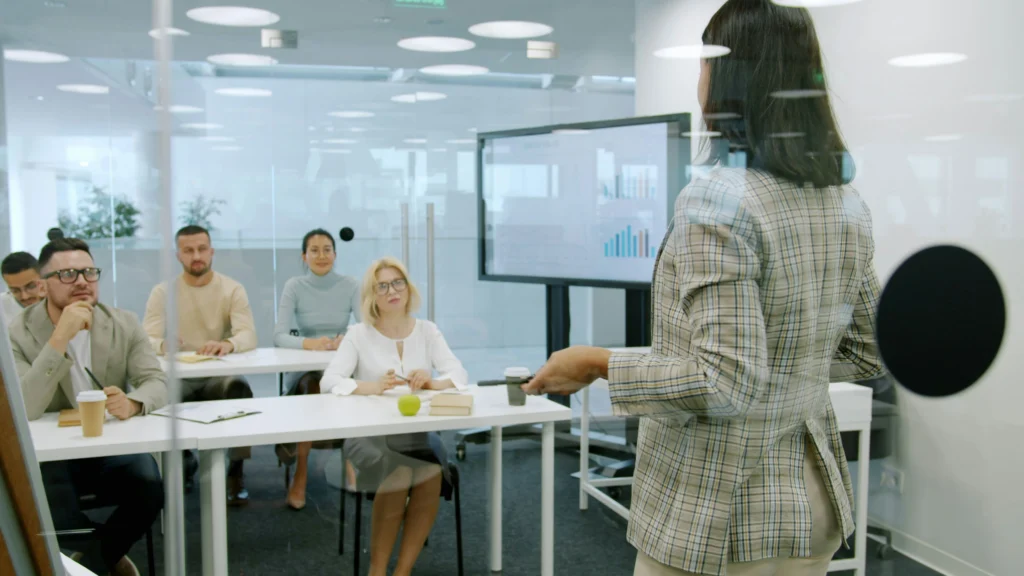
In recent years, lecture recording has become an essential part of modern education. Universities, schools, and training institutions increasingly rely on digital technologies to record, store, and distribute lectures. A well-designed Lecture Recording Guide helps educators understand how to build effective lecture capture systems that support both in-person and remote learning environments.
Lecture recording allows instructors to capture classroom teaching sessions using cameras, microphones, and specialized recording software. These recordings can then be stored and shared through learning management systems or video platforms. Students can review lectures later, which improves comprehension and supports flexible learning schedules.
The growth of hybrid and online education has significantly increased the demand for lecture recording systems. Many educational institutions now design classrooms with built-in recording capabilities so that lectures can be streamed live or archived automatically. This shift has made lecture capture technology an important component of modern smart classrooms.
A comprehensive Lecture Recording Guide not only explains the technology behind lecture capture but also explores how to design systems that are reliable, scalable, and easy for teachers to use. When properly implemented, lecture recording systems can enhance accessibility, improve knowledge retention, and provide valuable resources for students who cannot attend class in person.
Educational institutions also benefit from lecture recording because it supports digital learning strategies such as flipped classrooms and asynchronous education. In these models, students watch recorded lectures outside of class and use classroom time for discussions, group work, or practical exercises.
As a result, lecture recording is no longer just a supplementary feature. It has become a core part of classroom technology infrastructure.
Read more about smart classroom technology → What Is a Smart Classroom? A Practical Explanation
What Is a Lecture Recording System?
A lecture recording system, often referred to as a lecture capture system, is a combination of hardware and software used to record classroom lectures automatically or manually. These systems capture multiple types of content simultaneously, including the instructor’s voice, video footage of the classroom, and digital materials such as slides or screen presentations.
In most modern classrooms, lecture capture systems are integrated directly into the teaching environment. Cameras record the instructor or classroom activity, while microphones capture clear audio. At the same time, the instructor’s computer screen or presentation slides may be recorded using screen capture technology.
The recorded media streams are then synchronized and stored as a single lecture video. Students can later access this video through online platforms such as learning management systems or dedicated lecture capture portals.
Several core components are required for a functional lecture recording system.
- Video capture devices such as cameras
- Audio capture devices including microphones
- Lecture capture software or hardware encoders
- Storage and content management platforms
Together, these components allow instructors to produce high-quality lecture recordings without complex technical workflows.
One important consideration highlighted in any Lecture Recording Guide is ease of use. Teachers should be able to start or stop recordings quickly without needing technical support. Many modern systems offer automated scheduling features that start recording when a class begins and upload the video automatically when the session ends.
Another key aspect of lecture recording systems is integration with other classroom technologies. For example, many lecture capture systems work alongside interactive displays, classroom projectors, and digital whiteboards. This integration ensures that both visual content and spoken explanations are captured accurately during the lecture.
Learn about classroom display technologies → Interactive Displays Guide
Types of Lecture Recording Systems
Lecture recording technology can be implemented in several different ways depending on the needs of the educational institution. A typical Lecture Recording Guide categorizes lecture capture systems into three primary types: hardware-based systems, software-based recording solutions, and hybrid systems.
Each type has different advantages in terms of cost, flexibility, and scalability.
Hardware-Based Lecture Capture Systems
Hardware-based lecture capture systems rely on dedicated recording appliances installed directly in the classroom. These devices connect to cameras, microphones, and presentation computers, allowing them to capture audio and video streams simultaneously.
Hardware systems are often used in universities because they provide reliable and consistent recording performance. Once installed, they can automatically capture lectures with minimal configuration.
These systems typically include built-in encoders that compress video recordings in real time. The encoded files are then uploaded to a central server or cloud storage platform where they can be accessed by students.
Hardware-based systems are known for their stability, making them suitable for lecture halls and large classrooms where lectures are recorded regularly.
Software-Based Recording Solutions
Software-based lecture recording systems use applications installed on computers to capture video and audio. Instead of relying on dedicated hardware devices, these solutions record lectures using webcams, microphones, and screen capture tools.
Many teachers prefer software-based solutions because they are easier to deploy and require less infrastructure. A simple lecture recording setup can often be created using a laptop, a webcam, and recording software.
Software-based lecture capture solutions are commonly used for remote teaching, online courses, and smaller classrooms where installing permanent recording equipment may not be practical.
However, software systems may require more manual setup and monitoring compared with automated hardware solutions.
Hybrid Lecture Recording Systems
Hybrid systems combine both hardware and software technologies to provide flexible recording options. For example, a classroom might include installed cameras and microphones connected to a recording appliance while also allowing teachers to record additional content from their personal computers.
Hybrid lecture capture systems are particularly valuable for institutions that support both traditional in-person classes and online learning programs.
By combining different recording technologies, hybrid systems provide redundancy and allow instructors to choose the recording method that best fits their teaching style.
A well-designed Lecture Recording Guide usually recommends hybrid systems for large institutions because they offer the best balance between automation, scalability, and flexibility.
Essential Equipment for Lecture Recording
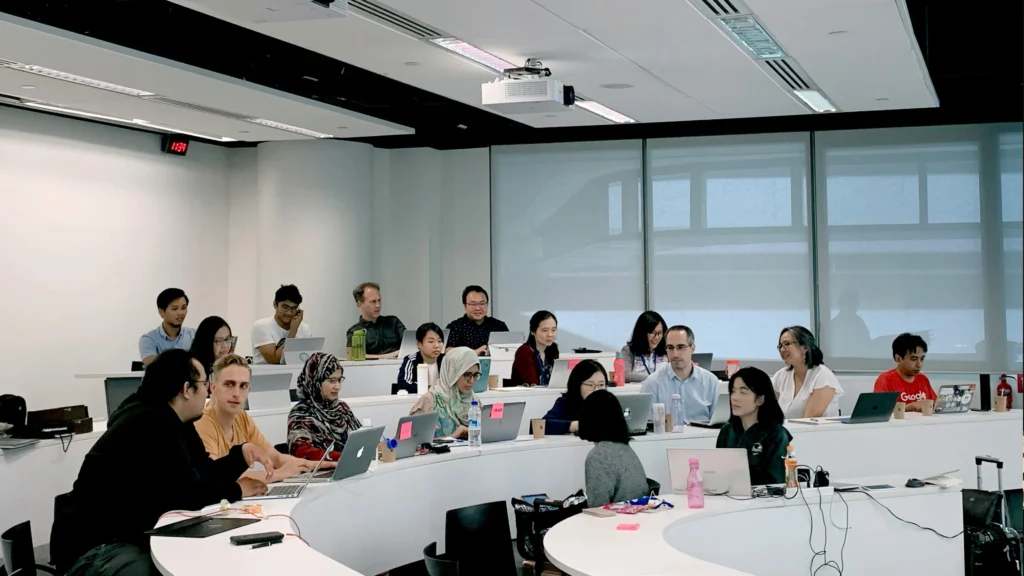
The quality of recorded lectures depends heavily on the equipment used to capture audio and video. While lecture capture systems can vary in complexity, most setups rely on several key hardware components that ensure clear recordings and reliable performance.
Understanding these components is an important part of any Lecture Recording Guide, especially for schools that plan to install new recording systems.
Cameras for Lecture Recording
Video cameras are responsible for capturing the instructor, whiteboard content, or classroom interactions. Many lecture recording systems use fixed cameras mounted at the back of the classroom or near the ceiling.
These cameras typically provide wide-angle views of the teaching area, ensuring that students watching the recording can clearly see the instructor and visual materials.
Some advanced lecture capture systems use PTZ cameras (pan-tilt-zoom), which can automatically follow the instructor or switch between different viewing angles.
Microphones for Lecture Capture
Audio quality is often more important than video quality in lecture recordings. If students cannot clearly hear the instructor, the educational value of the recording decreases significantly.
Several types of microphones are commonly used in lecture recording systems:
- Lapel microphones worn by instructors
- Ceiling microphones that capture classroom discussions
- Handheld microphones for student questions
Wireless lapel microphones are particularly popular because they allow instructors to move freely while maintaining consistent audio quality.
Capture Devices and Encoders
Capture devices or video encoders are responsible for processing the audio and video signals recorded during the lecture. These devices compress media streams and convert them into digital formats suitable for storage and distribution.
Many lecture recording appliances include built-in encoders that automatically synchronize multiple media streams, such as video from cameras and screen recordings from presentation computers.
The ability to combine multiple content sources into a single lecture recording is one of the most valuable features of modern lecture capture systems.
Storage and Video Platforms
Once lectures are recorded, they must be stored and distributed to students. Many educational institutions use cloud-based platforms or learning management systems to host recorded lectures.
These platforms allow students to access recordings through web browsers or mobile devices. They may also include features such as searchable transcripts, playback speed controls, and bookmarking tools that help students review lecture material more effectively.
Explore classroom audio systems → Classroom Audio Guide
Lecture Recording Setup for Different Classrooms
Lecture recording setups must be tailored to the classroom type, size, and teaching style. A Lecture Recording Guide emphasizes that no single setup fits all environments. Understanding classroom requirements helps in selecting the right cameras, microphones, and recording workflow.
Small Classrooms
For small classrooms, typically accommodating 10–30 students, simplicity is key. A single camera positioned to cover both the instructor and the presentation screen is often sufficient. Audio can be captured using a lapel microphone or a ceiling-mounted microphone.
Advantages of this setup:
- Cost-effective and easy to maintain
- Minimal equipment required
- Suitable for live streaming or local recordings
Challenges:
- Limited room coverage may miss student interactions
- Instructor movement may require careful camera positioning
Learn more about classroom projectors → Ultimate Guide to Classroom Projectors
Medium Classrooms
Medium-sized classrooms, holding 30–60 students, require more robust setups. Multiple cameras or a PTZ camera can capture both the instructor and student interactions. Audio capture often uses a combination of lapel microphones and ceiling microphones to ensure clarity.
In these environments, recording software should allow switching between video sources, capturing both slides and classroom activity simultaneously.
Advantages:
- Supports hybrid learning with multiple camera angles
- Provides more comprehensive lecture recordings
Challenges:
- Requires more sophisticated equipment
- Installation and maintenance costs are higher
Large Classrooms and Lecture Halls
Large lecture halls, designed for 100+ students, demand professional-grade hardware systems. Typically, these classrooms use:
- Multiple PTZ cameras covering the front stage and audience
- Wireless lapel microphones for instructors
- Ceiling microphones for capturing student questions
- Hardware-based encoders for reliable multi-source capture
Large lecture halls often integrate lecture recording systems with room control technology. For example, lighting and projector controls may be automated to optimize recording quality.
Advantages:
- High-quality recordings suitable for online courses
- Supports hybrid lectures with live streaming capabilities
Challenges:
- High initial investment
- Requires technical support for system maintenance
Basic Hybrid Classroom Setup
Hybrid classrooms combine in-person and remote learning, allowing students to attend physically or virtually. A Lecture Recording Guide for hybrid classrooms highlights several core elements.
Core Components
- Cameras – A combination of fixed and PTZ cameras to cover the instructor, whiteboard, and classroom.
- Microphones – Lapel for instructor, ceiling microphones for student participation, and possibly handhelds for Q&A.
- Lecture Capture Device – Hardware encoders or software applications that synchronize video, audio, and screen content.
- Display Systems – Interactive displays or projectors to show remote students, slides, or supplementary content.
- Streaming Platform – Integration with Zoom, Microsoft Teams, or proprietary platforms for live and on-demand lecture distribution.
A typical hybrid classroom workflow:
- Instructor starts the session via a control interface
- Cameras track the instructor while slides are recorded
- Audio from lapel and ceiling microphones is synchronized
- Remote students join via a live stream
- Lecture is archived automatically for later review
Recommended Equipment Table
| Component | Small Classroom | Medium Classroom | Large Lecture Hall |
|---|---|---|---|
| Camera | 1 fixed webcam | 1 PTZ + 1 fixed | 3 PTZ + 2 fixed |
| Microphone | Lapel | Lapel + Ceiling | Lapel + Ceiling + Handheld |
| Capture Device | Software-based | Hardware/Software | Hardware encoder |
| Display | Interactive display | Projector + Screen | Dual projector + interactive display |
| Storage | Local/LMS | Cloud/LMS | Cloud/LMS + Backup server |
This table demonstrates the scalable approach for hybrid lecture capture, ensuring that classrooms of any size can support both in-person and remote students effectively.
Explore classroom audio solutions → Ultimate Classroom Audio Guide
Lecture Recording Best Practices
A well-planned lecture recording system ensures that content is accessible, high-quality, and easy to manage. The following best practices are recommended in any comprehensive Lecture Recording Guide.
1. Test the System Regularly
- Conduct weekly checks of audio and video equipment
- Ensure software updates are applied
- Verify network connectivity for hybrid streaming
2. Optimize Camera and Microphone Placement
- Cameras should capture the instructor and presentation clearly
- Microphones should minimize background noise while covering the entire room
- Lapel microphones should be positioned to avoid clothing rustle
3. Use Automated Recording Where Possible
- Scheduling tools reduce human error
- Automatic upload ensures timely availability of recordings
- Cloud storage provides redundancy and accessibility
4. Consider Acoustics and Lighting
- Acoustic panels or carpeting reduce echo and background noise
- Proper lighting ensures the instructor is well-illuminated
- Avoid direct sunlight or glare on screens for better video capture
5. Provide Training for Instructors
- Simple interfaces for starting/stopping recordings
- Guidelines for effective on-camera presence
- Awareness of how to interact with remote students
Adhering to these practices ensures that lectures are professional, clear, and valuable for all students.
Lecture Content Management and Distribution
Effective management and distribution of recorded lectures are as important as the recording itself. Institutions should consider:
- LMS Integration – Recorded lectures should be accessible directly within platforms like Canvas, Moodle, or Blackboard.
- File Organization – Use consistent naming conventions to make content easily searchable.
- Content Security – Protect recordings from unauthorized access with passwords or restricted links.
- Transcripts and Captions – Generate automated transcripts to improve accessibility and SEO.
- Analytics – Track student engagement metrics to evaluate lecture effectiveness.
Many lecture recording systems include analytics dashboards that help instructors understand which parts of lectures are most viewed, skipped, or rewatched. This insight allows educators to refine their teaching methods.
Lecture Recording FAQ
What is the best microphone type for lecture recording?
The best microphone depends on classroom size and instructor movement. Lapel microphones are ideal for small classrooms and allow free movement. For larger classrooms, a combination of lapel and ceiling microphones ensures clear audio from both the instructor and students. Handheld microphones can be used during Q&A sessions.
Check out classroom audio tips → Ultimate Classroom Audio Guide
How many cameras are needed for a hybrid lecture?
· Small classrooms: 1 camera (fixed or PTZ)
· Medium classrooms: 2–3 cameras for instructor and student coverage
· Large lecture halls: 3–5 PTZ and fixed cameras for full coverage
A Lecture Recording Guide emphasizes that multiple camera angles improve engagement and allow remote students to feel more connected.
Can I use software-only solutions for lecture capture?
Yes, software-based recording tools work well for small classrooms. Popular solutions include OBS Studio, Panopto, and Zoom recording features. However, medium to large classrooms benefit from dedicated hardware encoders for reliability and higher-quality recordings.
How can I improve lecture recording quality?
· Use proper lighting to ensure clear video
· Optimize microphone placement for minimal echo and noise
· Choose cameras with HD or 4K resolution
· Position cameras to capture both instructor and presentation slides
How should recordings be stored and shared?
· Store recordings in cloud platforms or LMS for accessibility
· Use consistent file naming conventions (e.g., CourseName_LectureNumber_Date)
· Enable captioning and transcripts for accessibility and SEO
· Protect sensitive content with restricted access or passwords
Advanced Hybrid Classroom Considerations
For institutions investing in high-quality hybrid lecture systems, consider:
- Automatic Camera Tracking – AI-powered cameras can track the instructor as they move, keeping them in frame without manual adjustments.
- Lecture Slide Capture – Direct capture from presentation software improves clarity and reduces glare.
- Multi-language Captioning – Automatic translation for international students improves accessibility.
- Interactive Features – Integration with polling and Q&A platforms encourages student participation.
These advanced features enhance remote learning, making lectures more engaging and professional.
Recommended Lecture Recording Equipment
| Equipment | Small Classroom | Medium Classroom | Large Lecture Hall |
|---|---|---|---|
| Camera | 1 fixed webcam | 1 PTZ + 1 fixed | 3 PTZ + 2 fixed |
| Microphone | Lapel | Lapel + Ceiling | Lapel + Ceiling + Handheld |
| Capture Device | Software | Hardware/Software | Hardware encoder |
| Lighting | Standard | Adjustable LED | Professional LED panels |
| Storage | Local / Cloud | Cloud / LMS | Cloud / LMS + Backup |
This table consolidates equipment recommendations for various classroom sizes, helping schools plan lecture recording investments effectively.
Conclusion
A comprehensive Lecture Recording Guide ensures that schools can deliver high-quality, accessible lectures for both in-person and remote students. Key takeaways include:
- Classroom size and layout dictate the optimal recording setup
- Combining lapel, ceiling, and handheld microphones enhances audio clarity
- PTZ and fixed cameras provide versatile video coverage
- Automated lecture capture software and hardware simplifies workflow
- Proper content management, storage, and analytics maximize student engagement
By following this Ultimate Lecture Recording Guide, educators and administrators can design lecture recording systems that are scalable, reliable, and supportive of hybrid learning environments.
For more tips on classroom technology → Ultimate Guide to Classroom Projectors