Table of Contents
As classrooms evolve toward integrated AV environments, the role of the teaching console has expanded significantly. Understanding digital podium features is no longer optional for schools planning technology upgrades.
A digital podium is not simply a lectern with added ports. It functions as a centralized control interface that connects displays, audio systems, computing modules, and network infrastructure into a unified teaching environment.
Selecting the right digital podium features determines how efficiently instructors interact with classroom technology.
What Is a Digital Podium?
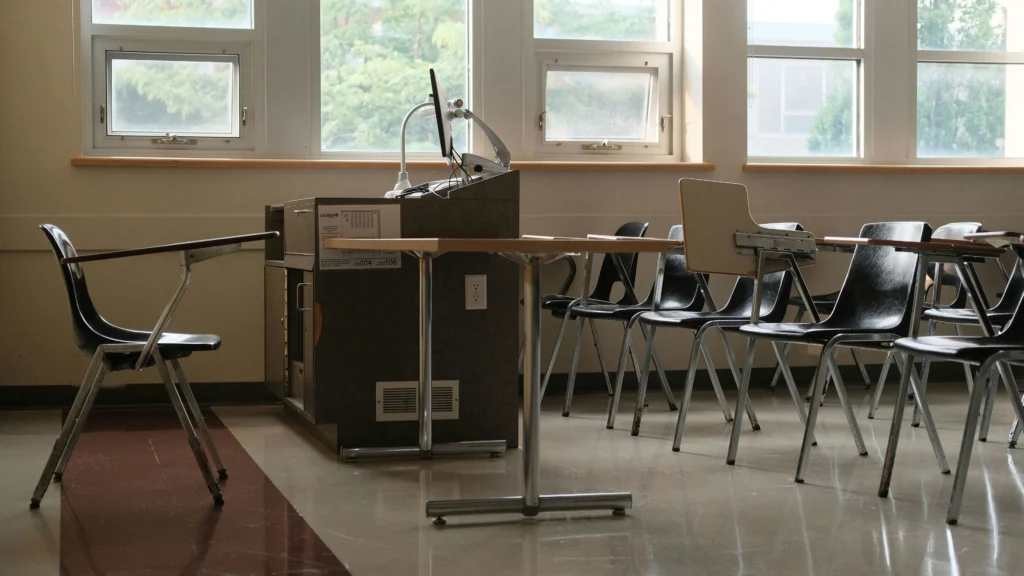
A digital podium, sometimes referred to as an electronic podium or smart classroom podium, is an integrated teaching station designed to house AV control systems, connectivity interfaces, and computing hardware within a single enclosure.
Unlike traditional podiums, digital podium features are engineered to support multimedia teaching workflows, hybrid learning environments, and centralized IT management.
In smart classroom infrastructure planning, the podium acts as the bridge between teacher interaction and backend AV systems.
Electronic Podium vs Traditional Podium
Core Digital Podium Features to Look For
Not all podium systems are equal. When evaluating digital podium features, schools should prioritize integration capability, usability, scalability, and maintenance access.
1. Integrated AV Control Panel

Why It Matters
One of the most critical digital podium features is an integrated control interface that allows instructors to:
- Switch display inputs
- Adjust audio levels
- Control projector or interactive display
- Mute microphones
- Power devices on or off
Without centralized control, teachers must interact with wall panels or separate devices, interrupting lesson flow.
Touch Panel vs Physical Buttons
Digital podium systems may include:
- Touchscreen control panels
- Programmable physical buttons
Touch panels provide flexibility and customization, while physical buttons offer tactile reliability.
In high-usage classrooms, simplicity often improves long-term usability.
2. Built-In Connectivity Ports
A modern digital podium for classroom use should include front-facing or top-facing connectivity ports such as:
- HDMI
- USB-A / USB-C
- Ethernet
- Audio input/output
These digital podium features allow instructors to connect laptops, document cameras, or external drives without searching for wall ports.
Proper port placement also reduces cable strain and accidental disconnections.
3. Internal Cable Management System
Cable clutter is one of the most common classroom AV problems.
Well-designed digital podium features include:
- Internal cable routing channels
- Cable tie anchors
- Protected cable entry points
This ensures:
- Cleaner classroom aesthetics
- Reduced tripping hazards
- Lower signal interference risk
Cable management is not cosmetic—it directly affects long-term maintenance and safety compliance.
4. Secure Equipment Storage
Security is often overlooked in podium selection.
High-quality digital podium features include:
- Lockable compartments
- Reinforced enclosures
- Ventilated storage spaces
These compartments may house:
- Mini PCs
- OPS modules
- Wireless microphone receivers
- Network switches
In shared educational environments, equipment security reduces replacement costs and tampering risks.
5. Ventilation and Thermal Management
Because digital podium systems house electronic components, ventilation becomes essential.
Overheating can lead to:
- Performance instability
- Unexpected shutdowns
- Reduced hardware lifespan
Effective digital podium features include:
- Ventilation slots
- Built-in cooling fans
- Passive airflow channels
Thermal design should align with the number of integrated devices.
How Digital Podium Features Fit Into Classroom Infrastructure
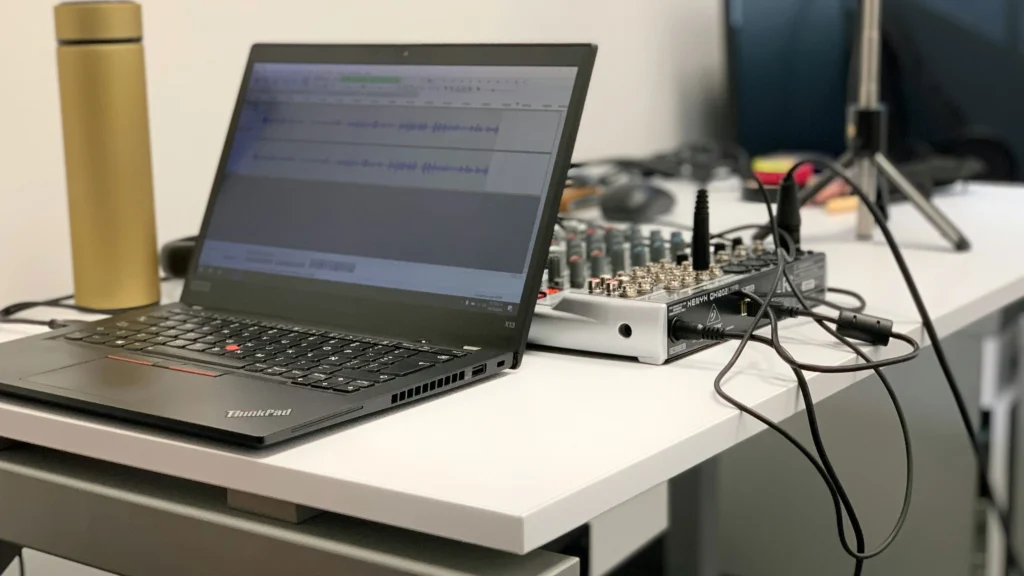
When evaluating digital podium features, it is essential to understand that a podium does not operate independently. It functions within a broader classroom ecosystem that includes displays, audio systems, control processors, and network infrastructure.
In modern deployments, the digital podium often acts as the physical interface layer between the instructor and the AV backbone of the room.
This architectural role distinguishes high-quality digital podium features from basic connectivity add-ons.
Integration With Display Systems
One of the most important digital podium features is seamless coordination with classroom display systems.
In classrooms using projectors, the podium may route HDMI signals through a switcher before reaching ceiling-mounted equipment. In interactive display environments, the digital podium may provide USB return channels for touch control and annotation feedback.
Poorly designed podium systems force instructors to manually switch inputs or reconnect cables, creating workflow interruptions.
Well-designed digital podium features integrate switching logic directly into the podium interface, allowing instructors to change content sources without interacting with remote racks or wall panels.
This centralized interaction improves teaching continuity and reduces transition time between activities.
For classrooms comparing projection systems and flat panels, podium integration becomes a deciding factor.
Interactive Display vs Projector
Audio Coordination and Signal Routing
Audio complexity increases significantly in hybrid and multimedia classrooms.
A podium that merely provides microphone placement is no longer sufficient. Advanced digital podium features must support signal routing between microphones, amplifiers, DSP units, and recording systems.
In some deployments, the podium contains audio input interfaces that connect directly to ceiling microphone arrays or wireless receivers. In others, the podium acts as a trigger interface for mute controls and audio presets.
The difference between basic and advanced digital podium features often lies in how audio control is managed. A system that integrates audio switching within the podium eliminates the need for instructors to adjust external mixers.
In classrooms where feedback issues or uneven amplification are common, podium integration can reduce user error.
Classroom Audio Pickup: Microphones, Arrays, and Mistakes
Computing Integration: Local vs Modular Systems
Another critical dimension of digital podium features is computing strategy.
Some digital podium systems are designed to function only as connectivity hubs, requiring teachers to bring their own laptops. Others integrate built-in computing modules such as mini PCs or OPS units.
The choice between external and integrated computing changes both operational efficiency and IT management.
Centralized Computing Model
When a digital podium includes built-in computing, classrooms benefit from:
- Standardized software environments
- Consistent login experiences
- Reduced device compatibility issues
This model simplifies IT management because hardware configurations remain uniform across rooms.
Digital podium features that support modular computing also allow upgrades without replacing the entire podium structure.
Bring-Your-Own-Device Model
In contrast, some institutions prefer a flexible model where instructors use personal laptops.
In this scenario, digital podium features must prioritize universal compatibility, including support for multiple input types and quick switching mechanisms.
The key difference lies in predictability. Integrated computing environments reduce variability, while external device models increase flexibility but may introduce inconsistencies.
Scalability and Standardization Across Campuses
When schools deploy technology across multiple classrooms, digital podium features must be evaluated from a system-wide perspective rather than room-by-room convenience.
A standardized digital podium platform allows IT teams to replicate:
- Control interfaces
- Port configurations
- Security protocols
- Update procedures
Without standardization, maintenance becomes fragmented. Each classroom evolves differently, increasing troubleshooting complexity.
Digital podium features that support modular expansion allow campuses to start with a baseline configuration and expand capabilities later without replacing infrastructure.
This scalability factor is often overlooked during initial procurement discussions.
Human Factors and Ergonomic Considerations
Beyond technical integration, digital podium features must support instructor comfort and accessibility.
A podium that houses multiple systems but ignores ergonomic design can hinder teaching effectiveness.
Important considerations include:
- Surface height alignment
- Screen viewing angles
- Port accessibility
- Control panel visibility under different lighting conditions
Instructors frequently move between the podium and the board. Poorly positioned controls increase cognitive load and reduce efficiency.
Advanced digital podium features incorporate human-centered design principles to minimize friction during classroom transitions.
Installation and Deployment Practical Tips
Digital podium features cannot compensate for poor installation planning.
Before deployment, schools should assess:
Room layout
Ceiling height
Display placement
Network port location
Power distribution
Podium positioning should align with display sightlines and cable routing paths.
Improper placement can create excessive cable strain or signal degradation.
It is also advisable to coordinate podium deployment with broader infrastructure planning.
Smart Classroom Components: Complete Guide
Early coordination reduces the need for later modifications, which are often more expensive and disruptive.
Lifecycle and Maintenance Considerations
When schools evaluate digital podium features, they often focus on installation and immediate usability. However, long-term maintenance determines whether the investment remains efficient over five to ten years.
Unlike traditional furniture, a digital podium is a technology enclosure. Its performance is tied to electronic components, firmware updates, and hardware lifespan.
Poor ventilation, unmanaged firmware updates, and inconsistent hardware standards can shorten system longevity.
High-quality digital podium features include:
- Accessible maintenance panels
- Modular component slots
- Clear cable labeling systems
- Replaceable interface modules
These design elements reduce downtime during servicing.
In large campuses, maintenance simplicity directly affects operational cost. A podium that allows quick access to internal components without dismantling the structure saves significant labor hours over time.
Digital podium features that support modular upgrades also extend lifecycle value. For example, replacing a mini PC module is more economical than replacing the entire podium unit.
Common Deployment Mistakes Schools Make
Understanding digital podium features is only part of the equation. Deployment errors often undermine system performance.
One common mistake is over-specification. Schools sometimes install podium systems with advanced features that instructors rarely use. This increases cost and complexity without improving teaching efficiency.
Another frequent issue is underestimating infrastructure compatibility. A podium designed with advanced AV switching capabilities may be paired with outdated projectors or insufficient network bandwidth, limiting its effectiveness.
A third mistake involves poor coordination between IT and facilities departments. Because digital podium features intersect furniture design, electrical planning, and network infrastructure, siloed planning can create integration gaps.
For example, installing a podium before confirming power load capacity may result in unstable operation during peak usage.
Proper planning aligns podium features with:
- Display technology
- Audio system design
- Network architecture
- Power distribution
This systems-level thinking transforms the podium from a standalone unit into a coordinated classroom interface.
Security and Equipment Protection
In shared academic environments, device security is critical.
Advanced digital podium features incorporate lockable compartments and internal mounting brackets that prevent unauthorized removal of equipment.
This is especially important when podiums house:
- Wireless microphone receivers
- Recording devices
- Mini PCs
- Control processors
Beyond physical security, network security must also be considered. If the digital podium connects directly to campus networks, secure configuration and VLAN segmentation become essential.
A podium that acts as a network node must align with institutional cybersecurity standards.
Security, therefore, is not an optional add-on but a core evaluation point when assessing digital podium features.
Adapting Digital Podium Features for Hybrid Learning
Hybrid learning environments have redefined classroom requirements.
Digital podium features must now support:
- Seamless content sharing
- Audio clarity for remote participants
- Reliable network streaming
- Camera coordination
In hybrid settings, the podium often becomes the operational anchor for content capture and distribution.
Without centralized control, instructors may struggle to manage multiple devices simultaneously.
Digital podium systems that integrate display switching, audio routing, and conferencing control simplify hybrid workflows.
As hybrid teaching continues to expand, the strategic importance of digital podium features increases.
Strategic Evaluation Framework
To determine which digital podium features are necessary, institutions should evaluate three dimensions:
First, teaching model.
Is the classroom lecture-based, collaborative, or hybrid?
Second, technology density.
How many AV and computing devices are integrated into the room?
Third, long-term scalability.
Will the classroom require future upgrades or standardization across campus?
A digital podium designed for low-density classrooms may not support high-density AV environments effectively.
Conversely, overbuilt podium systems may add unnecessary complexity to simple lecture rooms.
The most effective deployments align digital podium features with actual instructional needs rather than perceived modernization trends.
Practical Selection Guidelines
For small institutions with limited IT resources, digital podium features should prioritize simplicity and reliability over customization.
For medium-sized campuses undergoing phased upgrades, selecting a modular digital podium platform allows gradual expansion.
For large universities standardizing hundreds of classrooms, consistent interface design and centralized configuration management become decisive factors.
Digital podium features should not only support current needs but also allow controlled evolution.
Final Perspective: The Podium as an Interface Layer
The most accurate way to understand digital podium features is to view the podium as an interface layer between human instruction and technical infrastructure.
It is neither merely furniture nor purely an AV device.
It is the operational bridge between teacher interaction and system architecture.
When properly designed and deployed, digital podium features enhance workflow, reduce friction, and support long-term classroom scalability.
When poorly aligned with infrastructure, they become underutilized hardware occupying valuable space.
The difference lies not in the presence of features—but in their integration strategy.